

Use a copy-ready invoice that itemizes labor and materials, send it the same or next day, and include a payment link that accepts ACH or card. That single move cuts disputes and speeds up payment more than any other change you can make. Quotewren builds this exact flow into one tool, so the estimate you approved on-site becomes an invoice in minutes, not days.
TL;DR:
- Using a copy-ready invoice with clear itemization and a payment link significantly reduces payment disputes and accelerates cash flow for handymen.
- Including detailed line items for labor and materials along with precise job descriptions and separate fees ensures prompt payments and avoids client questions.
- Sending invoices within 24 to 48 hours after completing work and following up at strategic intervals improves the chances of timely payment.
- Accepting ACH transfers and setting appropriate payment terms based on client type (like Net 15 for residential, Net 30 for commercial) helps optimize cash flow.
- Automated tools like Quotewren streamline the invoice process, from converting estimates to sending reminders and requesting reviews, saving time and improving collections.
Table of Contents
- What Fields Belong on a Handyman Invoice?
- What's the Fastest Way to Go From Estimate to Paid Invoice?
- Which Payment Methods and Terms Get You Paid Fastest?
- How Should You Break Down Labor and Materials on the Invoice?
- Why Do Invoices Go Unpaid, and How Do You Fix It?
- What Should You Look For in Handyman Invoicing Software?
- How Do You Adjust Invoices for Homeowners Versus Businesses?
- Why Getting Paid Fast Matters More Than Winning on Price
- Quotewren Turns a Finished Job Into a Paid Invoice, Automatically
- Where to Find More on Invoicing, Wages, and Recordkeeping
- Sources
- FAQ
What Fields Belong on a Handyman Invoice?
A handyman invoice needs the same backbone whether you fixed a leaky faucet or rebuilt a deck. Skip a field and you invite a slow payment or a confused customer calling you back to ask what "materials" actually means.
Start with three ready-to-use templates you can copy into Word, Google Docs, or a PDF editor today:
- Single-visit invoice: for one-time jobs like a garbage disposal swap or a drywall patch.
- Estimate-to-invoice: converts your signed estimate into a final bill with the same line items, so nothing gets re-typed or misquoted.
- Deposit invoice: bills the upfront deposit separately, then a second invoice covers the balance due.
The eForms handyman invoice template lays out the standard field list, and it matches what most trades software expects. Here's what each field does and why it matters:
- Invoice number: a unique sequential number (INV-1042, for example) so you and the client can reference the exact job in any conversation.
- Issue date and due date: issue date is when you send it; due date reflects your payment terms (Net 15, due on receipt, etc.).
- Business info: your business name, phone, email, and address. Add your license number here if your state or city requires one for handyman work.
- Client info: name, service address (if different from billing), and phone or email.
- Itemized line items: each task or material gets its own row. "General repairs" tells the client nothing. "Replace kitchen faucet, labor" tells them exactly what they paid for.
- Quantities and unit prices: how many, at what price each. This is what lets a client check your math instead of just trusting your total.
- Markup: the percentage you add to materials cost. Most handymen use a typical markup percentage for materials, and showing it as its own line (rather than burying it in the unit price) builds trust.
- Tax: sales tax on materials, calculated per your state's rules.
- Subtotal, deposit, and balance due: subtotal before tax, any deposit already paid, and what's actually owed now.
- Payment methods and payment link: list what you accept (ACH, card, check, cash) and, if you use software like Quotewren, a clickable pay link right on the invoice.
- Payment terms: Net 15, Net 30, or due on receipt, stated plainly so there's no ambiguity about when payment is expected.
Here's a sample line-item breakdown for a mixed job, a faucet install with a disposal swap:
Notice that labor and materials sit on separate rows, and the disposal fee gets its own line instead of getting absorbed into "misc." That kind of clarity is exactly what templates focused on separating labor and materials recommend, and it's the difference between a client who pays without questions and one who calls asking why the bill is $80 more than expected. For a deeper breakdown of writing individual rows, see this guide to invoice line items.
What's the Fastest Way to Go From Estimate to Paid Invoice?
The workflow that gets you paid fastest has five steps, and each one has a natural deadline attached. Skip the deadline and the whole chain slows down.
- Get the scope signed as an estimate. Before you touch a wrench, put the job scope, price, and any deposit requirement in writing and get a signature (a text "yes, go ahead" counts if that's your normal process, but a signed estimate protects you better on bigger jobs).
- Log hours and materials on-site. Write down labor time and every material you use as you go. Waiting until you're back in the truck means you'll forget the extra coupling you grabbed from the truck bin.
- Send the invoice same day or next day. This is the single biggest lever you have. Sending fast keeps the job details fresh in the client's mind and closes the window for them to forget what was done or dispute the price.
- Follow up at 7, 14, and 30 days if unpaid. Space your reminders instead of nagging daily. A staged cadence feels professional; daily texts feel like harassment, and clients tune those out.
- Confirm the deposit was applied and close the job. Once paid, mark it closed in your records and, if you use review-request automation, this is the trigger point.
Message scripts help take the awkwardness out of steps 3 and 4. For approving an estimate: "Here's the scope and price for the bathroom faucet swap: $498.79 total, $150 deposit due to schedule. Reply YES to confirm and I'll get you on the calendar." For sending the invoice: "Job's done. Invoice attached, total due $348.79 after your deposit. Pay by card or bank transfer here: [link]. Thanks for choosing us." For a 14-day reminder: "Quick nudge, your invoice for the faucet job ($348.79) is still open. Here's the pay link again: [link]. Let me know if you have any questions."
Attach photos and receipts directly to the invoice or the message thread whenever the job involved parts you had to buy or damage you discovered mid-repair. A photo of the old rusted-out disposal, paired with your receipt for the new one, ends most "why does this cost so much" conversations before they start. This habit alone shortens the window for disputes, because there's nothing left to argue about.

Pro Tip: Keep a note template on your phone (Notes app, voice memo, whatever) with fields for "task, time started, time ended, materials used." Fill it in between jobs, not at the end of the day when half of it is already forgotten.
For a closer look at how estimate approvals turn into invoices without re-entering data, this guide on quote-to-invoice conversion walks through the mechanics.
Which Payment Methods and Terms Get You Paid Fastest?
Every payment method trades speed for cost, and knowing that trade-off lets you steer clients toward the option that works best for you without sounding pushy.
ACH bank transfers typically settle in a few business days and carry low processing fees, making them a cost-effective option for larger invoices. Card payments hit instantly from the client's side, feel effortless to pay, but usually carry processing fees that you either absorb or pass along. Checks are free to accept but slow, since you're waiting on mail time plus bank clearing, and they carry bounce risk. Cash is instant and fee-free but leaves the thinnest paper trail for tax season, so always log it the same day you receive it.
| Method | Typical Settlement | Cost to You | Best For |
|---|---|---|---|
| ACH / bank transfer | 1–2 business days | Low flat fee | Larger invoices, repeat clients |
| Card (credit/debit) | Instant | ~2–3% processing fee | Fast-moving small jobs |
| Check | 3–7 days (mail + clearing) | Free | Clients who prefer paper, larger commercial accounts |
| Cash | Instant | None | Small same-day jobs, tips |
On terms, keep it simple: use due on receipt for small same-day jobs under a couple hundred dollars, Net 15 for typical residential work, and Net 30 for commercial clients whose accounts payable departments move slower by design. For larger jobs, it is common to collect an upfront deposit before purchasing materials or starting work to protect your cash flow. That protects you if the client cancels mid-job and covers your material costs upfront.
Late fees deserve careful wording. A workable line reads: "Invoices unpaid after 30 days accrue a 1.5% monthly late fee on the outstanding balance." Before you put that on an invoice, check your state's limits. Some states cap late fees or treat them as interest subject to usury laws, so a quick search of your state's consumer finance rules (or a five-minute call to a local bookkeeper) saves you from a fee clause you can't actually enforce. Read more on wording options in this practical guide to invoice late fees, and if you want the mechanics of adding a pay link to speed up collection, see how payment links get invoices paid faster.
How Should You Break Down Labor and Materials on the Invoice?
The single biggest source of payment delay is an invoice line item vague enough to invite a question. "Repairs, $350" gets you a callback. "Labor: replace 3 interior door hinges (1.5 hrs @ $75/hr), $112.50" gets you a payment.
List labor by discrete task with hours and your rate attached to each. If you reference BLS wage data for general maintenance and repair workers, you'll find hourly pay varies widely by region and specialty, which is exactly why you should set your own rate based on your market rather than copying a number from a blog. List materials with quantity, unit cost, and your markup shown as its own line so the client sees you're not hiding a padded price inside the parts cost.
Here's a worked example for a bathroom vanity swap that shows the fees most handymen forget to charge for:
Commonly missed fee lines that quietly eat your profit: the service call fee for showing up regardless of job size, mileage for jobs outside your normal service radius, disposal fees for hauling old fixtures, and an after-hours premium if you took an emergency call outside normal business hours. Leave any of these off and you're working for less than you think.
On sales tax, most states tax materials but not labor, though a handful tax both and a few tax neither depending on the service classification. That variation means you can't copy a flat tax rule from a blog post and trust it. Check your own state's Department of Revenue guidance, or the SBA's finance and recordkeeping resources, before you finalize how tax appears on your invoices. Keeping labor and materials as separate line items, per the Nudge invoice template guidance, makes this tax split obvious to both you and the client.
Why Do Invoices Go Unpaid, and How Do You Fix It?
Most unpaid invoices trace back to one of four mistakes, and every one of them is fixable before it happens again.
- Vague descriptions. "Miscellaneous repairs, $400" invites a client to question every dollar. Fix it by itemizing every task, no matter how small.
- Late sending. Waiting a week to invoice means the client's memory of the job has faded, and so has their sense of urgency to pay. Fix it by sending within 24 to 48 hours, every time.
- Missing receipts. No proof of material costs means no defense if a client disputes the price. Fix it by photographing receipts and attaching them to the invoice or job file.
- No stated terms. If you never wrote down when payment is due, don't be surprised when it doesn't show up. Fix it by putting terms on every invoice, even a one-line "due on receipt."
When an invoice goes unpaid past your terms, escalate gradually instead of jumping straight to threats. A 7-day follow-up should be friendly: "Hey, just checking you got the invoice, let me know if you have questions." At 14 days, get firmer but still polite: "Following up on invoice #1042, still showing unpaid, total $348.79. Can you let me know when you're able to send payment?" At 30 days, offer a short payment plan before you escalate further: "I want to work with you on this, would splitting the balance into two payments over the next two weeks help?" Most clients aren't dodging you, they're just disorganized, and a payment plan often unlocks money that a stern warning would have just made them avoid.
Keep records for every invoice: the signed estimate, the final invoice, payment confirmation, and any receipts or photos tied to the job. The SBA recommends holding onto these for at least three years for tax purposes, longer if a dispute is active. For the difference between what counts as an invoice versus a receipt in your files, this guide to invoices vs. receipts clears up a mix-up that trips up a lot of solo operators.
Pro Tip: Screenshot every payment confirmation the moment it comes through, even for cash. A folder of timestamped screenshots is worth more than your memory when tax season or a dispute rolls around.
What Should You Look For in Handyman Invoicing Software?
Not every solo handyman needs software. If you're doing two or three jobs a week, a Word template and your bank's app might cover you fine. Once you're juggling multiple jobs a week, chasing payments on more than one job at a time, or losing track of which client owes what, that's the point where paying for a tool starts saving you more time than it costs.
Here's the checklist worth running any handyman invoicing app or handyman billing software against before you sign up:
- Mobile estimate-to-invoice flow: can you convert a signed estimate into an invoice from your phone, on-site, without retyping line items?
- Onsite payment links: does the invoice include a tap-to-pay link so a client can pay before you've even left the driveway?
- Automatic reminders: does the tool send 7/14/30-day follow-ups on its own, so you're not the one remembering to nag?
- Simple pricing: is the cost a flat, predictable monthly fee, or does it scale in confusing tiers as you add jobs?
- Review-collection options: does it prompt happy clients for a Google review right after the job closes, while the experience is still fresh?
- Bank/ACH support: can clients pay by bank transfer directly, not just card, so you're not always eating a processing fee?
Quotewren maps directly onto this checklist. It converts a finished job into an invoice in a couple of taps, includes a payment link that accepts ACH and card, sends automatic reminders on the cadence outlined above, and fires off review requests through a three-touch SMS sequence right after the job wraps. For a look at how a similar workflow plays out for other trades, the HVAC invoicing walkthrough shows the same mobile-first logic applied to a different job type. If you want a broader operations platform instead of a focused invoicing tool, larger field-service software vendors like those covered on JobOS Pro's industries page show what a full-featured alternative looks like, though most solo operators find that scale of tool overkill for a one or two-person shop.
How Do You Adjust Invoices for Homeowners Versus Businesses?
Residential and commercial clients read invoices differently, and matching the format to the client type removes friction on both sides.
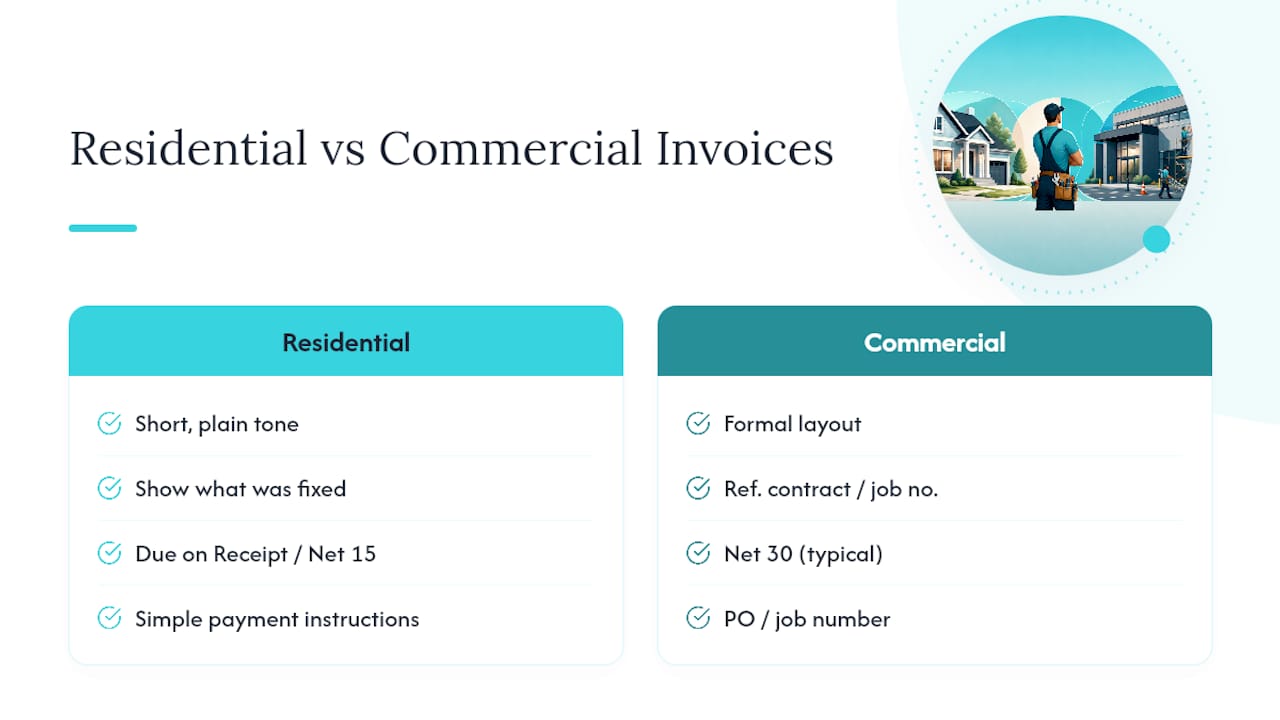
For residential clients, keep the invoice short and plain. Homeowners want to see what was fixed, what it cost, and how to pay, without wading through accounting language. A due-on-receipt or Net 15 term works fine here since most homeowners pay quickly once a clear invoice lands in their inbox or text thread.
Commercial clients, on the other hand, often route your invoice through an accounts payable department that expects more structure. Include a purchase order number if they gave you one, reference any service contract or job number they use internally, and expect a Net 30 term as standard since larger businesses batch their payments on a schedule rather than paying job by job. Commercial invoices also benefit from a slightly more formal layout, full business address, tax ID if requested, and itemized costs broken out clearly since a bookkeeper (not the person who hired you) is often the one reviewing the bill.
One habit that works across both client types: always confirm before the job whether the client needs your license number or proof of insurance listed on the invoice. Some commercial property managers require it as a condition of payment, and it's a five-second addition if you know to include it upfront instead of after a payment gets held up.
Why Getting Paid Fast Matters More Than Winning on Price
Solo trades operators tend to compete on price because it feels like the safest lever to pull. It isn't. A handyman who invoices clearly and gets paid within a week builds a cash cushion that a cheaper competitor stuck chasing 60-day payments never gets. Clarity beats discount every time, because a client who understands exactly what they paid for doesn't second-guess the bill, and a client who doesn't second-guess the bill pays faster.
The review side of this matters more than most solo operators give it credit for. A clean invoice sent the same day, followed a few days later by a well-timed review request, does more for your next job than another flyer on a windshield. Google reviews are how homeowners vet a stranger with a drill before letting them into their house, and the contractors who ask for reviews right after the job (while the client is still happy from a job well done) collect far more of them than the ones who ask weeks later, if they ask at all.
None of this requires charging less. It requires being the contractor who shows up with a clear scope, a fast invoice, and a follow-up that doesn't feel like a shakedown. That reputation compounds. One good review leads to a referral, one fast payment leads to a repeat client who doesn't shop around next time. The math on that beats a lower hourly rate every time.
— jaras
Quotewren Turns a Finished Job Into a Paid Invoice, Automatically
Quotewren is built for exactly the workflow this article just walked through, minus the manual retyping and the mental note to follow up in a week. It converts your approved estimate straight into a branded invoice, attaches a payment link that takes ACH and card, and then automatically sends your 7/14/30-day reminders so unpaid jobs don't quietly slip off your radar.
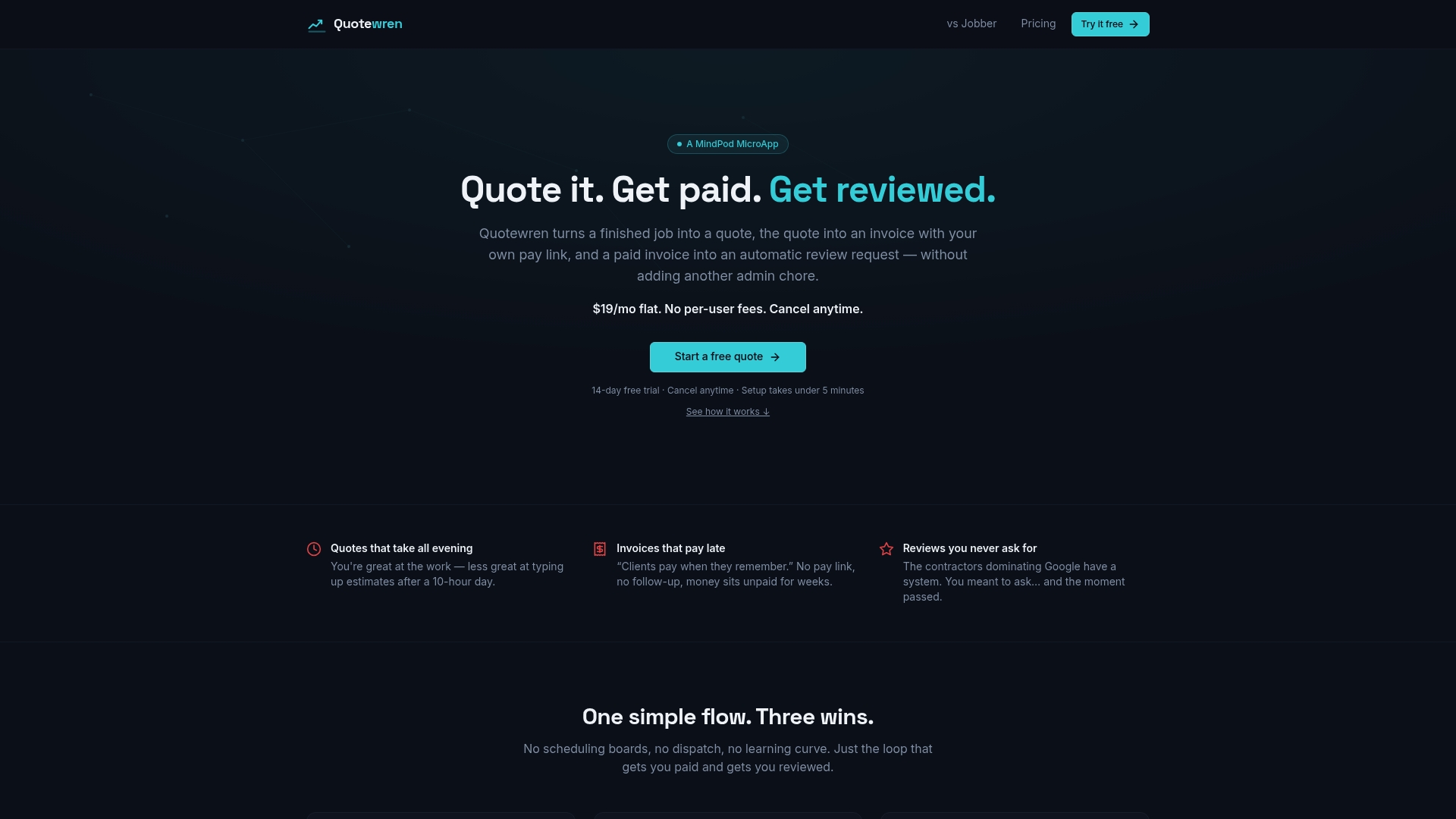
Where Quotewren earns its place for a solo operator is the review piece nobody else automates well: the moment a client pays, Quotewren's three-touch SMS sequence asks for a Google review while the job is still fresh in their mind. That's the step most handymen mean to do and never get around to, and it's the one that quietly builds the online reputation that wins the next job. Compared to running a spreadsheet and a separate payment app, or paying for a bigger field-service platform loaded with features a one-person shop doesn't need, Quotewren keeps the pricing simple and the workflow focused on what actually gets you paid.
If you're still sending invoices from a Word doc and chasing payments by memory, start a free trial at Quotewren and send your next invoice the same day you finish the job.
Where to Find More on Invoicing, Wages, and Recordkeeping
A few sources are worth bookmarking as you build out your own invoicing habits:
- BLS — General maintenance and repair workers for benchmarking hourly labor rates by region.
- SBA — Manage your finances for recordkeeping and cash flow basics every small business owner should know.
- eForms handyman invoice template for a free downloadable starting point.
- FreshBooks handyman invoice templates for additional template formats and automation features.
For state-specific tax rules or wage rules, check your state Department of Revenue site directly, since these vary enough that a national guide can't cover them accurately. A local bookkeeper or the Amplify Consults accounting and bookkeeping team can also help you sort out sales tax on materials versus labor if your state's rules aren't clear.
Sources
- BLS — General maintenance and repair workers
- SBA — Manage your finances
- eForms — Handyman (Contractor) Invoice Template
- Nudge — Handyman invoice template (materials & labor)
FAQ
How do I invoice as a handyman?
List your business and client info, itemize labor and materials separately with quantities and unit prices, add tax and terms, and send it within 24 to 48 hours of finishing the job with a payment link attached.
What's a typical handyman hourly rate?
Rates vary widely by region and specialty, so check BLS wage data for general maintenance and repair workers to benchmark your local market rather than copying a flat number.
What is the best invoicing software for handymen?
The right tool depends on job volume, but for a solo operator who wants estimate-to-invoice conversion, payment links, automatic reminders, and built-in review requests without a big learning curve, Quotewren covers that full loop in one app.
What are some red flags when hiring a handyman?
From a client's perspective, red flags include no written estimate before work starts, no invoice or receipt after the job, and no proof of license or insurance when the job requires it, all things a professional invoice and estimate process solves on the contractor's side.