

A quote is a price promise; an invoice is the bill you send once that promise turns into finished work. The fastest way to move from one to the other: get the quote accepted (a client signature or a timestamped "yes" works), then hit "convert" in your quoting tool to turn that same document into a draft invoice, check it, and send it.
- Quote = offer, before the job
- Invoice = payment request, after the job
- Fast path: acceptance → convert → review → send
- Payoff: fewer typos, faster billing, money in your account sooner
Key Takeaways
Converting an accepted quote into an invoice fast, without retyping line items, is the single biggest lever solo contractors have over cash flow and billing disputes.
| Point | Details |
|---|---|
| Know the difference | A quote is a price promise before work; an invoice is a payment demand after it. |
| Convert, don't retype | Use a one-click convert feature so line items and pricing carry over exactly. |
| Invoice same-day | Send the bill the moment the job wraps, while client satisfaction is highest. |
| Set approval gates | Auto-convert small repeat jobs, but review high-value or first-time client invoices. |
| Quotewren keeps it simple | Quotewren links quote, invoice, and review request in one record for solo tradespeople. |
Table of Contents
- What's the Difference Between a Quote and an Invoice?
- How Do You Turn an Accepted Quote Into an Invoice?
- What Should Every Quote and Invoice Include?
- How Does Automation Speed Up Quote-to-Invoice?
- What Mistakes Cost Contractors the Most Money?
- Why Does Fast, Accurate Invoicing Matter So Much?
- Get Paid Faster With Quotewren
- Sources
- FAQ
What's the Difference Between a Quote and an Invoice?
A quote is a price promise you hand a client before you touch a wrench, a wire, or a lawnmower. It lists the scope of work, an estimated or fixed price, and usually an expiration date. It's not a bill, and it should never be mistaken for one. Tipalti notes that quotes should be clearly labeled "Quote" or "Quotation" so nobody confuses them with a request for payment.
An invoice shows up after the work is done or the quote is accepted. It has an invoice number, a due date, and payment instructions. It's a formal ask for money, not a proposal.
Quote:
- Sent before work starts
- Has an expiration date
- No invoice number
- Not a legal payment demand
Invoice:
- Sent after acceptance or completion
- Has a due date
- Carries a unique invoice number
- Legally requests payment
How Do You Turn an Accepted Quote Into an Invoice?
Once a client says yes, here's the order that keeps you fast and accurate:
- Confirm acceptance. Get a signature, a timestamped click on an approval link, or a clear text message. This is your proof.
- Convert the quote. Use your quoting tool's convert button to pull the accepted quote into a draft invoice. DealHub's glossary points out that this convert option is standard in most quoting software, and it saves you from retyping every line item by hand.
- Check for changes. Did the client add a second faucet or ask for extra outlets? Adjust line items now, before you send anything.
- Set the due date. Net 15, due on receipt, whatever your policy is.
- Attach a pay link. Make it a one-click payment, not a mailed check.
- Send it and schedule a reminder. Don't wait for the client to remember.
Before you hit send, double check three things: line items match what was quoted, tax is calculated correctly, and the billing address is right.
Pro Tip: Auto-convert works fine for small, repeat jobs like a filter swap or a faucet fix. For anything over a few hundred dollars, or a first-time client, pause and eyeball the draft invoice yourself before it goes out. One quick review can prevent billing disputes.
What Should Every Quote and Invoice Include?
Your quote and invoice don't need to be fancy, but they do need to be complete. Missing fields are how disputes start.
On the quote:
- Client name and site address
- Scope of work, written plainly
- Itemized line items: description, quantity, unit price
- Total price (fixed or a range)
- Deposit percentage, if you require one
- Expiration date and terms
- How the client accepts (signature, click, reply)
On the invoice:
- Invoice number and date
- Due date
- Itemized charges matching the quote
- Tax
- Deposit already applied
- Remaining balance
- Payment instructions
- Contact info for questions
A sample line item might read: "Replace kitchen sink cartridge — 1 × $125 — $125." Simple, specific, and impossible to argue with.
How Does Automation Speed Up Quote-to-Invoice?
The right tool turns a 20-minute paperwork chore into a two-minute task. Look for these features when you pick or set up software:
- One record that holds both the quote and the invoice, so nothing gets lost between the two
- A single "convert" button instead of copy-and-paste
- A public acceptance link or e-signature option
- Line items and deposits that carry over automatically
- Built-in pay links
- Basic sync with your bookkeeping
Stripe's guide to quote-to-cash explains that automating pricing, quoting, and invoicing together cuts out the manual re-entry that happens when your CRM, your invoice, and your accounting software don't talk to each other.
Setup checklist: Map your line-item fields once. Confirm your tax logic is right for your state and service type. Pick a conversion trigger (signed quote, job marked complete). Set an approval gate for big-ticket jobs so nothing over your comfort line goes out unreviewed.
PandaDoc's research found that businesses juggling disconnected tools, email plus spreadsheets, run into far more billing mismatches than those using one connected system. That's the real cost of doing it the old way.
What Mistakes Cost Contractors the Most Money?
Sending a quote labeled as an invoice. This confuses clients and can delay payment for days. Fix: always title the document correctly and give invoices their own number sequence.
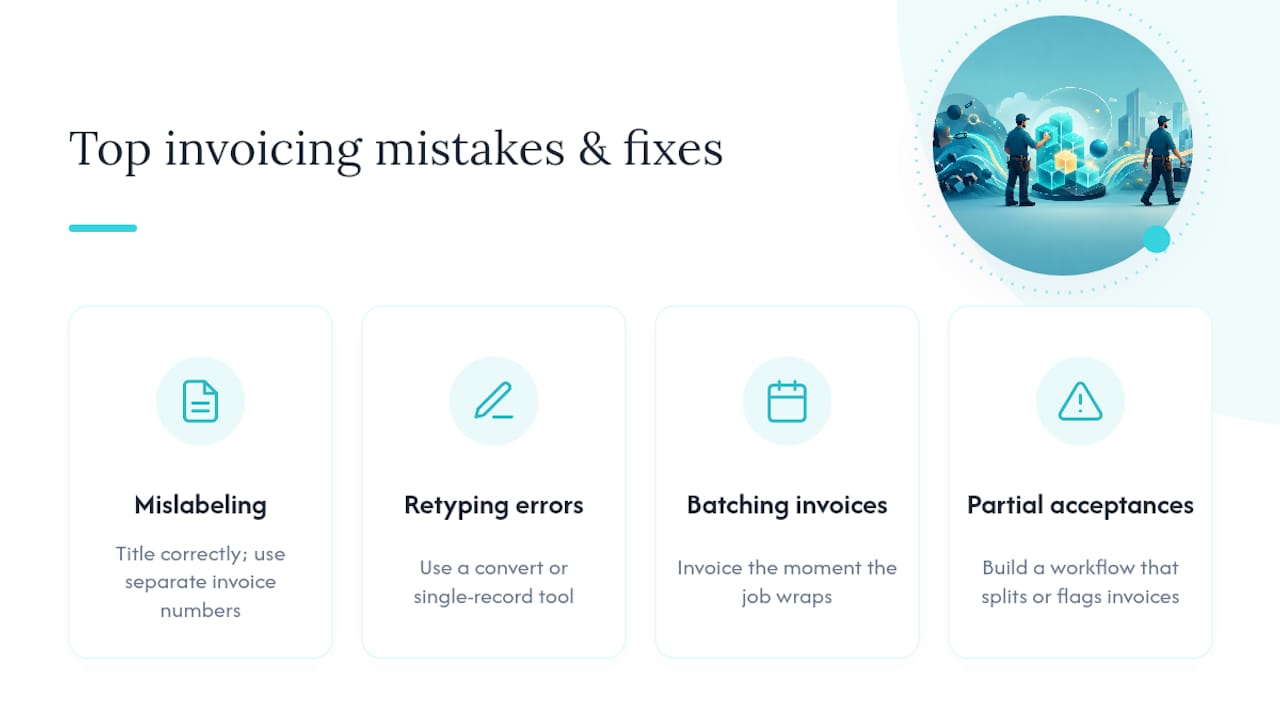
Retyping line items by hand. Every retype is a chance to fat-finger a price. Fix: use a convert or single-record tool so line items move over exactly as quoted.
Batching invoices at month end. Waiting kills momentum and cash flow. Fix: invoice the moment the job wraps, ideally from your truck or the client's driveway.
Ignoring partial acceptances. If a client only approves half the scope, sending a full invoice creates a fight. Fix: build a workflow that splits the invoice or flags it for a quick review before sending.
Why Does Fast, Accurate Invoicing Matter So Much?
Late payments are one of the biggest cash-flow killers for small operators, and Vantaige's research on quote-to-cash workflows points to the seller's own delay, not the client's slowness, as a major driver of that gap. The fix is on your end: send the bill the moment the job is done.
Same-day invoicing works because client satisfaction peaks right after a job finishes well. Keeping the quote and invoice as one connected record also protects you if a client later claims you charged for something they never approved. The line items match because they never got retyped.
A Plumber's Take on Same-Hour Invoicing
Make this routine: the second a job's done, convert and send. On a valve replacement, I'd invoice from the driveway before packing the truck. One record per job, no separate paperwork trail to chase down later. Same-hour billing gets you paid faster, period.

Get Paid Faster With Quotewren
Quotewren keeps your quote and invoice as one record from the start, so nothing gets lost when a client says yes. Send a quote, let your client accept it right from their phone with a public acceptance link, then convert that accepted quote into a draft invoice with a single click. Line items, deposits, and pricing carry over exactly as quoted, no retyping, no mismatch.

Picture a real day: you finish a water heater install, text the client a pay link the moment you convert the invoice, and Quotewren automatically follows up for a Google review a day later. That's quoting, billing, and reputation-building running on autopilot, built specifically for solo trades operators who don't have time for five different apps. Try Quotewren and see how fast your next accepted quote can turn into a paid invoice.
Sources
- Tipalti — Quote vs Invoice
- PandaDoc — Invoice vs Quote (blog)
- Vantaige — Quote to paid invoice (2026)
- DealHub — Quote to Invoice (glossary)
- Stripe — How to use quote-to-cash (resources)
FAQ
Can a Quote Be Used as an Invoice?
No. A quote is a price estimate, not a payment demand, and using one as an invoice causes accounting confusion and payment delays. Always convert the accepted quote into a separately numbered invoice before sending it.
What Is the 3 Quote Rule?
The three-quote rule is a procurement practice where a buyer requests bids from at least three vendors, mostly seen in corporate or government contracting. Most solo tradespeople win work through referrals and reputation, so this rule rarely applies unless you're bidding on a larger institutional job.
How Do I Quote a Price to a Customer?
List the scope of work clearly, break out labor and materials as line items, and give either a fixed price or a tight estimate range with an expiration date. Always label the document "Quote" so there's no confusion with a bill.
What Is a Quote Invoice?
There's no such thing as a true "quote invoice," it's a mislabeled document that tries to do both jobs at once. Keep them separate: send a quote before work, then convert it into a proper invoice once the client accepts or the job is done.