

Send a complete, itemized invoice before you pull out of the driveway, and offer an on-site payment link or tap-to-pay right then. A compliant invoice needs your business name, license number, invoice number and date, a clear breakdown of labor and parts, and your payment terms. If you want the whole thing handled without building your own spreadsheet, a trade-focused tool like Quotewren turns a finished job straight into an invoice in a couple of taps.
TL;DR:
- Including a clear breakdown of labor, parts, and surcharges on the invoice improves transparency and reduces payment delays.
- Sending a payment link or using tap-to-pay methods while still on the job significantly increases the likelihood of same-day payment.
- Properly documenting permit fees, change orders, and sales tax collection helps prevent compliance issues and future disputes.
- Using automated tools like Quotewren can streamline quoting, invoicing, and review requests, saving time and improving cash flow.
- Keeping detailed records and reconciling weekly ensures smooth tax filing and reduces last-minute bookkeeping stress.
Table of Contents
- Field-By-Field Invoice Checklist Every Plumber Needs
- How Do You Create and Send an Invoice on the Job?
- Copy-Ready Plumbing Invoice Template You Can Use Today
- How Do You Get Paid the Same Day on a Plumbing Job?
- Sales Tax, License Numbers, and Change Orders: Staying Compliant
- Which Invoicing Tool Fits a Solo Plumbing Business?
- How Do You Reconcile Invoices for Tax Time?
- Field-Tested Invoicing Do's and Don'ts
- Quotewren: Quote, Invoice, and Get Reviewed Without the Busywork
- Sources
- FAQ
Field-By-Field Invoice Checklist Every Plumber Needs
Plumber invoicing lives or dies on the details you put in the top third of the page. Skip a field and you either get a slow-pay customer who "didn't understand the charge," or you get flagged in a state sales-tax audit two years from now. Neither is worth the ten seconds it takes to fill in the blank.
Here's what belongs on every plumbing invoice, in the order it should appear:
- Business header and license number. Your company name, phone, address, and plumbing license number go at the top, not buried in a footer. Several states require the license number on customer-facing paperwork, and even where it's optional, it signals you're legitimate.
- Invoice number and date. Use a sequential system like INV-2026-0142 rather than dates alone. Sequential numbers make it obvious to you, and to your bookkeeper, if one is missing.
- Bill-to name and service address. These are often different. A landlord may be billed while the tenant's unit is the service address. List both so there's no confusion about who owes what, and where the work happened.
- Job date and a one-line scope. "Replaced 40-gallon water heater, kitchen leak repair under sink" tells the customer exactly what they paid for months later when they're staring at a credit card statement.
- Itemized labor. Hours multiplied by your rate, shown as its own line, not folded into a flat number. "2.5 hrs @ $95/hr" builds trust because the customer can check the math themselves.
- Itemized parts and materials. Quantity times unit price, and include part numbers when you're billing for something like a specific valve or fixture. It protects you if a part turns out defective and needs a warranty claim later.
- Dispatch or service-call fees. If you charge a flat trip fee separate from labor, show it as its own line rather than folding it into the hourly rate.
- After-hours or emergency surcharges. A 2 a.m. burst-pipe call justifies a premium, but only if the invoice shows it as a labeled line item, not a mysteriously higher total.
- Permit pass-throughs. If you pulled a permit for a water heater swap or sewer line repair, list the permit fee separately at cost. Marking it up without disclosure is the kind of thing that turns into a bad review.
- Subtotal, sales tax, and total. Sales tax typically applies to parts and materials; many states don't tax labor on real property repairs, though state rules vary and you should confirm your own.
- Payment terms. Spell out "Due upon receipt" or "Net 15" in plain words, not just a due date. Ambiguous terms are the number one reason invoices sit unpaid for weeks.
Novo's free plumbing invoice template is built around this exact structure, and it's worth studying even if you end up using different software, because the field order matters as much as the fields themselves.
How Do You Create and Send an Invoice on the Job?
The best plumber invoicing habit is finishing the paperwork before you leave the driveway, not after dinner when the details have gone fuzzy. Here's the sequence that works for solo techs and small crews alike.
- Capture as you go. Snap a photo of the old part you replaced, jot down the exact quantity of pipe or fittings used, and confirm the scope verbally with the customer before you pack up your tools.
- Build the invoice on-site. Whether you're using a paper carbon-copy pad, a spreadsheet on your phone, or an app like Quotewren, fill it in while the job details are fresh and the customer is standing right there.
- Convert the estimate, don't rewrite it. If you gave the customer a written estimate, copy the line items straight over and adjust only what changed. If you added an extra hour or a part you didn't originally quote, flag it out loud before you invoice for it.
- Collect payment or send the link immediately. Hand them a card reader, tap their phone against yours, or text a payment link right there. Don't wait until you're back in the truck.
- Log the payment method. Whether it's a card swipe, an ACH transfer, or a check, record it against the invoice number the same day so nothing falls through the cracks at bookkeeping time.
- Set one automated reminder. If the invoice isn't paid same-day, schedule a single friendly follow-up for three to five days out rather than nagging daily.
A simple script beats a generic invoice email every time. Try texting: "Hey Mike, here's your invoice for today's water heater install, $685 total. You can pay right here: [link]. Thanks for calling us." It's specific, it names the job, and it makes paying feel like the natural next click.
For cash or check payments, write the payment method and date directly on your copy of the invoice before you drive off. It sounds small, but it's the difference between a clean set of books in December and a week spent guessing which jobs actually got paid.
Pro Tip: Text the payment link while you're still standing in the customer's kitchen. Once you're back in the truck, "I'll pay you later" becomes a lot easier for them to mean, and a lot harder for you to collect on.
Copy-Ready Plumbing Invoice Template You Can Use Today
You don't need custom software to send a professional invoice this afternoon. A basic template in Google Docs, Word, or Sheets covers you for most residential and light commercial jobs, and the same skeleton works whether you're a one-truck operation or running two techs.
Here's a filled example based on a typical service call:
Confirm your own state's rule before setting this as a default, since treatment of parts versus labor varies by jurisdiction.
If you're building this in Google Sheets or Excel rather than typing numbers by hand, three simple formulas keep the math honest:
- Amount column:
=Qty*Ratefor every line, so a typo in hours or rate automatically recalculates the total. - Subtotal:
=SUM(Amount range)pulling every line item together in one cell. - Sales tax line:
=Subtotal*[your tax rate], applied only to the parts subtotal if your state exempts labor.
Different job types call for slightly different templates:
- Service call template: dispatch fee, hourly labor, parts, tax. Good for diagnostic visits and small repairs.
- Flat-rate repair template: a single flat price for a defined job (like a garbage disposal swap), with parts broken out separately for warranty tracking.
- Project draw template: for bigger jobs like a full bathroom repipe, showing a deposit already collected, a running total of work completed, and the balance due.
Trade-focused resources like InvoiceQuickly's annotated plumbing invoice example walk through similar line-item breakdowns if you want a second reference point before you finalize your own version.
How Do You Get Paid the Same Day on a Plumbing Job?
Same-day payment comes down to removing every excuse a customer has to "send it later." Vendor and industry guidance consistently points to one pattern: plumbers who send a payment link or swipe a card while still standing in the customer's home get paid faster than those who mail an invoice or email it that night. Once you've left the property, your invoice is competing with dinner, homework, and Netflix for the customer's attention.
Three practical ways to collect on-site:
- Tap-to-pay card readers. A phone-based reader lets a customer tap their card or phone right there. It's the fastest option and works even if they didn't bring cash.
- Keyed card entry. If a reader isn't available, keying in a card number over the phone (with the customer's authorization) still beats waiting for a check in the mail.
- SMS payment links. Text a link before you leave the driveway. This works especially well for a spouse or property manager who wasn't home during the job but is the one who actually pays the bills.
Statistic Callout: Trade-payment providers built for plumbing and other field trades commonly advertise zero-fee ACH transfers as an alternative to card processing, which matters because ACH avoids the 2 to 3 percent card fee that eats into margin on a $3,000 water heater replacement or repipe job.
On fees: if you're taking a card, decide up front whether you absorb the processing cost or pass it along. Many solo plumbers offer a small cash or check discount instead of adding a card surcharge, since surcharge disclosure rules vary by state and a discount is simpler to explain. Whatever you choose, say it out loud before the customer pays, not after.
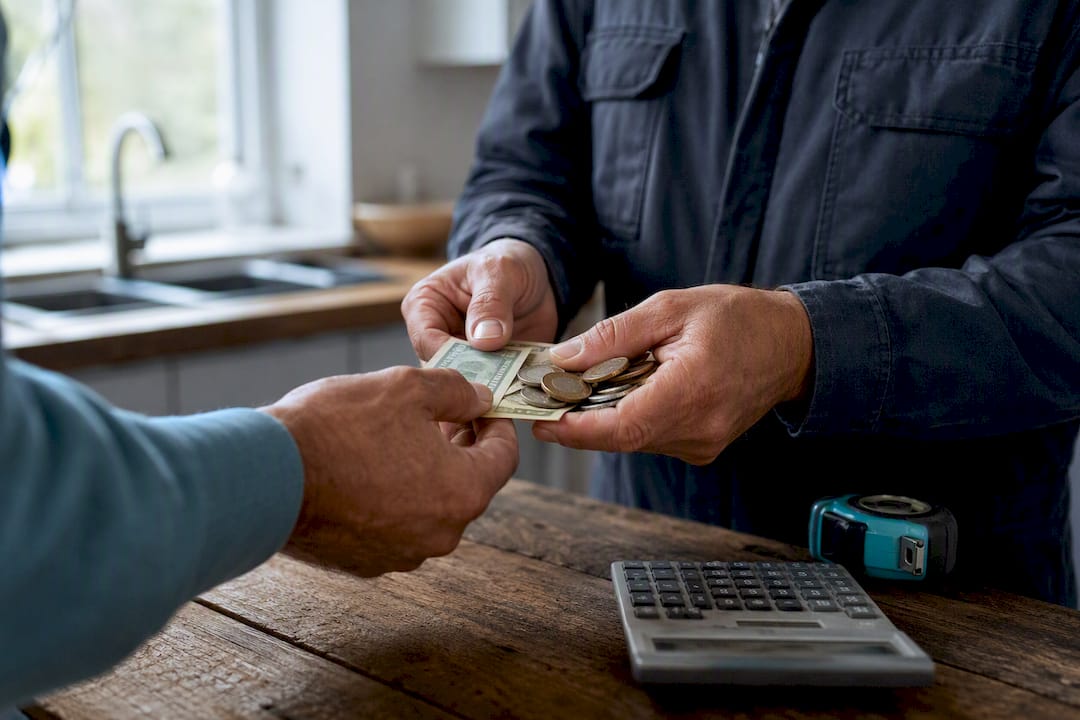
Once payment clears, issue a paid receipt immediately, even if it's just texting "Paid in full, thanks!" with the invoice attached. It closes the loop and gives the customer a paper trail if they ever need one for a home sale or insurance claim.
Sales Tax, License Numbers, and Change Orders: Staying Compliant
Plumbing invoice wording matters more than most techs realize, especially when a state auditor or a disputing customer looks at your paperwork six months later. A few habits keep you covered.
- Show your license number on every invoice, ideally right under your business name in the header. It's the fastest way to prove you're operating legally, and some states legally require it on customer paperwork.
- Confirm your state's sales-tax rule before you set a default. The common pattern taxes parts and materials but exempts labor on real property repairs, though exact treatment varies by state, so check your state revenue department's guidance rather than assuming your neighbor state's rule applies to you.
- Invoice deposits as their own line, then show the credit on the final invoice. If a customer paid a $300 deposit on a $1,200 repipe estimate, the final invoice should show the full $1,200 job total, a line for "Deposit received 3/2/26: −$300," and the true balance due.
- Document change orders in writing before you do the extra work, not after. A text message saying "Found a corroded shutoff valve, will need to replace it, adds $85 in parts and labor, okay to proceed?" with a "yes" reply is enough to avoid a dispute later.
- Keep records for at least three years, since that's a common state audit lookback window for sales tax. Store both the invoice and proof of tax collected together.
Which Invoicing Tool Fits a Solo Plumbing Business?
The right tool depends on how many invoices you send in a week and how much time you're currently losing to chasing payments. There are three broad categories worth knowing.
- Templates and spreadsheets. Free, flexible, and fine for a very low invoice volume. The tradeoff is manual data entry and no built-in payment collection, so you're still texting separately to get paid.
- Business-checking accounts with invoicing built in. Providers like Novo bundle basic invoicing into a checking account, which can eliminate one extra subscription for a very small shop. The tradeoff is that these tools usually lack trade-specific features like fast estimate-to-invoice conversion or automated review requests.
- Trade-focused microapps. Built specifically for solo tradespeople, these tools handle the full loop: quote, invoice, payment link, and follow-up, without the bloat of enterprise field-service software.
Watch for three signals that it's time to upgrade off spreadsheets: you're spending more than fifteen minutes per invoice, you're manually texting every customer to chase payment, or you realize you haven't asked a single happy customer for a Google review in months. That last one costs you new business you never see, since most customers pick a plumber based on recent reviews.
This is exactly the gap Quotewren is built to close for solo trades: converting a finished job straight into a quote and then an invoice, with a payment link attached and an automated review request sent after the job closes. You can trial it on a single job without touching your existing invoice history, since it doesn't require migrating old records to start using it going forward.
How Do You Reconcile Invoices for Tax Time?
Good recordkeeping isn't glamorous, but it's the difference between a calm April and a scramble through a shoebox of receipts. A few habits keep your books clean all year.
- Name files consistently. Include the invoice number and a short job code, like
INV-2026-1234_RR_4215Cactus, so an exported spreadsheet automatically lines up with the right job when your bookkeeper opens it. - Reconcile weekly, not annually. Match each payment link or card transaction to the bank deposit that landed from it. A ten-minute Friday habit beats a ten-hour December scramble.
- Export clean CSVs if you're on spreadsheets. Keep consistent column headers (invoice number, date, customer, amount, tax, payment method) so the file drops straight into accounting software without reformatting.
- Build a year-end checklist: a list of paid and unpaid invoices, a sales-tax summary by quarter, and copies of any pulled permits or issued warranties tied to specific jobs.
Field-Tested Invoicing Do's and Don'ts
The plumbers who get paid fastest aren't necessarily the best at the trade. They're the ones who treat the invoice as part of the job, not an afterthought done from the truck at 8 p.m. Texting the payment link before you leave the driveway, photographing the old part you swapped out, and keeping a simple price book on your phone all save real hours over a month, even though none of them feel like a big deal in the moment.
The mistakes are just as consistent. A vague line item like "repair work, $220" invites a dispute, because the customer has no idea what they're actually paying for. Leaving a permit fee off the invoice, then explaining it later, reads as a hidden charge even when it isn't. And waiting until the end of the day, or the end of the week, to send invoices is the single biggest reason plumbers chase payments for weeks that should have taken hours.
None of this requires expensive software or a business degree. It requires treating the last five minutes of a job with the same care you gave the first hour of it.
— jaras
Quotewren: Quote, Invoice, and Get Reviewed Without the Busywork
Quotewren is the trade-friendly alternative to juggling a spreadsheet template, a separate payment app, and a sticky note reminding you to ask for a review. It turns a finished job straight into a quote, then an invoice, then an automated review request, all without the learning curve or price tag of enterprise field-service platforms.

For a solo plumber, that means less time formatting line items and more time getting paid. You build the estimate on your phone, convert it to an invoice with the same fields carried over, and attach a payment link the customer can tap right there in their kitchen. Once the job closes, Quotewren automatically follows up asking for a Google review, so you're building your online reputation without having to remember to ask every single time.
Getting started takes a few minutes: sign up, create your first quote on an upcoming job, and send it straight from your phone. Most solo techs have their first invoice out the door within the same week they sign up, since there's no bookkeeping migration required to start. If invoicing has been the part of the job you keep putting off, start your first quote with Quotewren and see how fast the loop closes.
FAQ
How Do You Write a Plumbing Invoice?
Include your business name and license number, invoice number and date, the bill-to and service address, an itemized breakdown of labor and parts, any surcharges or permit fees, sales tax, and clear payment terms like "due upon receipt."
Do Plumbers Need to Send Invoices?
Yes. Even a simple, handwritten invoice documents what work was done, what was charged, and creates a paper trail for both the plumber and the customer if a dispute or warranty claim comes up later.
How Much Should a Plumber Charge Per Hour?
Hourly rates vary widely by region and experience, so there's no single national number to quote. What matters more than the rate itself is showing it clearly on the invoice as hours multiplied by rate, so customers can see exactly what they're paying for.
Is a Handwritten Invoice Legal?
Yes, a handwritten invoice is legal as long as it includes the required information, like your business name, the date, an itemized description of work and materials, and the total due. Many states also expect your license number to appear on it.
What's the Fastest Way to Get Paid on the Same Day?
Send a payment link by text or use a tap-to-pay card reader while you're still on-site, since payment requests sent after you leave the property are far more likely to sit unpaid for days. Tools like Quotewren build that payment link directly into the invoice so there's no separate app to open.