

If you are a solo plumber, electrician, HVAC tech or handyman who answers your own phone, start with Local Services Ads (LSA) when your trade is eligible. You pay per lead instead of per click, Google puts a trust badge on your listing, and there is little to set up. Pick standard Google Ads when your trade is not eligible, when you need to send people to a page on your own website, or when you want control over keywords. Either way, the ad only pays off if you answer fast, quote fast and have reviews.
TL;DR
- LSA is pay-per-lead and shows on Google Search and Maps. Standard Google Ads is mostly pay-per-click and sends people to your website.
- LSA needs screening (license, insurance, background checks, reviews). Plan on several weeks before ads run.
- Compare channels on cost per job won, not cost per lead. Revenue is not profit.
- Reviews, quick replies and fast quotes decide whether either channel pays back.
- Test one channel for 30 to 90 days with a written budget cap before adding the second.
Table of Contents
- What each ad type actually is
- Side by side
- What each one costs
- Who qualifies for LSA
- Reviews decide who shows up first
- Which one fits your trade
- Measure cost per job won, not cost per lead
- Where jobs get lost after the lead
- Perspective
- Turn the leads you pay for into paid jobs and reviews
- A simple plan for the next 90 days
- FAQ
- Sources
What each ad type actually is
Local Services Ads are pay-per-lead listings for verified local providers. They appear at the top of Google Search with a Google Verified badge, and you pay when a customer calls, messages or books through the ad, not per click. You choose a weekly budget, and you do not pick keywords. Google matches your service categories and service area to what people search.
Standard Google Ads (search campaigns) are the ads most people picture: text ads that show when someone types a phrase you chose. Google says there are no flat fees or monthly subscriptions. Prices come from a real-time auction, and you set your own budget. Search clicks cost money whether or not the person ever calls.
Google itself treats them as two different products. Its small-business team says LSAs suit businesses offering eligible services to customers in a set area and need less hands-on management, while Google Ads gives more detailed control but needs more active management.

One change to know about: Google's help pages say Local Services Ads is moving into a more integrated experience inside the Google Ads platform, so you can manage all your Google advertising in one place. Details on how the transition affects campaign management and billing are worth a read before you set up, because screens and bidding options may look different from older guides.
Side by side
| Local Services Ads | Google Ads (Search) | |
|---|---|---|
| How you pay | Per valid lead | Per click |
| Keywords | None. Based on service category and area | You choose them |
| Where people land | A Google-hosted profile with call, message or book buttons | Your website or landing page |
| Ad copy | Google builds the listing from your profile | You write headlines and descriptions |
| Trust badge | Google Verified badge | None |
| Setup time | Often several weeks because of screening | Can be live in days |
| Bad leads | You can dispute invalid leads for credit | Clicks are not refundable |
The setup and control rows come from a home-services comparison by The Snow Media, which puts LSA setup at two to four weeks and Search Ads at 24 to 48 hours. The ranking difference matters too. LSA ranks on bid, responsiveness, rating, reviews and verification, while search ads rank on bid and ad and landing-page quality. That is why a solo operator with a great reputation can beat a bigger shop in LSA.
What each one costs
No one can give you a single price. Lead prices on LSA vary by location, job type, lead type and bidding mode. Click prices on Google Ads vary by keyword and by how many shops bid on it.
Here are published ranges from contractor marketing guides, so you can see the shape of the numbers:
- A May 2026 contractor channel guide lists Google Ads search at $15 to $80 per click, with $80 to $300 estimated cost per lead. It lists LSA at $20 to $120 per lead.
- A May 2026 handyman guide reports $2 to $8 per click for handyman keywords and $15 to $30 per verified lead on LSA.
Those ranges overlap and move with your city and trade. A drain-clearing lead in a big metro will not cost what a handyman lead in a small town does. Treat them as a sanity check, then use your own numbers.
How LSA billing works
You set an average weekly budget. The monthly maximum is your weekly budget times the average number of weeks in a month. When you hit it, the ad stops for the rest of the month. That is a useful guardrail for a one-person shop. A flood of calls on a slow week will not wreck your month.
Google says a valid lead can be an answered call, a missed call during business hours where the customer stays on the line more than 20 seconds, a text or email, a voicemail, or a booking request. Invalid or low-quality leads are not charged at first, and charged leads may be credited later if Google's models flag them as low quality. You can also dispute a lead yourself.
Note what that means for you: a missed call can still be a charged lead. If you are under a sink or on a roof and let calls ring, you can pay for a lead you never talked to.
How Google Ads billing works
You pay when someone clicks, so you also pay for people who browse, compare and leave. A good website and tight keywords cut that waste. If you do not have a website that explains your services and tells people how to reach you, clicks cost more than they return.
Who qualifies for LSA
LSA is not open to every trade. Google's US page lists eligible home services including electrician, plumber, HVAC, roofing, painter, locksmith, handyman, general contractor and tree services. Landscapers, cleaners and some other trades may be eligible in some places, so check your category in the Google signup flow.
Screening varies by business category and location. It can include background checks, business registration, insurance and license checks, and minimum review counts. If Google asks for more steps, you have 14 days to finish them to keep ads running. Skip a requested step and you can lose the badge, have ads paused or have the account suspended.
What that means for a solo operator:
- Get your paperwork in one folder. License, general liability insurance, business registration and workers' comp documents if your state or category needs them.
- Expect a wait. One agency citing Google puts screening at 3 to 4 weeks on average after you submit documents. Do not plan a slow-season rescue around LSA.
- Handymen should check early. One guide says handymen under roughly $250,000 a year often lack the insurance, workers' comp or background-check documents LSA asks for. If that is you, gather the paperwork first, or start with Google Ads.
- Know the badge name. Google folded Google Guaranteed, Google Screened and License Verified into one Google Verified badge in October 2025, and ended the $2,000 customer money-back guarantee in November 2025, with verification requirements unchanged. Older articles still talk about "Google Guaranteed".
If your state licenses your trade, a step-by-step guide to requirements and screening for service businesses advertising through LSA can help you prep your paperwork.
Reviews decide who shows up first
On LSA, your profile is your ad. Ranking draws on responsiveness, search context, whether you accept messages and bookings, and profile quality, including rating, review count, response time and photos. Google adds that better profiles may rank higher and may pay less per lead.
Some categories need a minimum number of reviews before ads show, and agencies commonly point to 5 or more. A contractor guide suggests starting with LSA when you have 15 or more Google Business Profile reviews, and running both channels at 25 or more. Those are one agency's rules of thumb, not Google's, but the point holds: reviews are the fuel.
If you are short on reviews, fix that before you spend a dollar on ads. These guides lay out the plan:
- A three-step plan for reaching your first 5 Google reviews
- Why asking within four hours of the job works best
- How a lot of reviews changes your map pack standing
- The rules on review gating, so you ask for reviews the right way
Which one fits your trade
Start with LSA if:
- Your jobs are urgent and phone-first: burst pipes, dead AC in July, a tripped panel.
- Your trade is eligible and your paperwork is ready.
- You answer fast or have someone who does.
- You have good reviews but no strong website yet.
- You do not want to manage bids and keywords.
Start with Google Ads if:
- Your trade is not LSA-eligible, which can include some landscaping and cleaning niches.
- You sell something that needs explaining on a page, such as maintenance plans, financing, or commercial work. Agencies suggest Google Ads first when an offer needs landing-page explanation or you want keyword-level control.
- You have a decent website and time to tune keywords.
- You run a time-limited promotion, like a spring tune-up special.
Run both when you have the reviews, a website that converts, competitors already holding LSA slots, and budget for both. Google's own small-business guidance says to use both, with Google Ads for research-phase searches and LSAs for high-intent "near me" searches. For a one-truck business, though, running both on day one often splits a small budget too thin. Pick one, learn from it, then add.
If you want someone else to run standard search campaigns for you, Google Ads management for home service businesses is one way to take the keyword work off your plate.
Measure cost per job won, not cost per lead
A cheap lead who never books costs more than an expensive lead who does. One contractor guide argues that the number to watch is spend divided by jobs won, compared with the gross profit on those jobs.

Here is a worked example from that guide: $900 spend produced 12 leads ($75 each), 5 booked estimates ($180 each) and 2 jobs won ($450 per job). If the average job leaves you $700 in gross profit, you came out ahead. If it leaves $300, you lost money even though the phone rang.
Another guide gives the same idea as a formula: price per lead divided by contact rate divided by close rate. Contact rate is the share of leads you actually reach. Its steps are easy to copy:
- Set a spending cap before you start, such as $1,000 over 90 days.
- Narrow your settings to the services, job sizes and zip codes you want.
- Write down every lead the day it arrives: name, source, job type, outcome.
- Ask for credit on bad leads the same week.
- At 30 days, check how many leads you reached. If it is under half, fix your reply speed first.
- At 60 to 90 days, work out cost per job won, counting your own time.
- Keep it, change it or stop.
A simple 30-day test works too: a written cap, one person answering within 5 minutes during work hours, and a scorecard of leads, estimates booked, jobs won, revenue and profit. Search Engine Land also notes small businesses can prepay a few hundred dollars to test LSA, and that LSAs are not "set it and forget it".
Where jobs get lost after the lead
Paying for a lead is only step one. Most of the money is lost in the next 48 hours:
- Slow reply. Google says failing to answer calls or messages can lower your ad ranking. A customer who messaged three shops will often go with whoever answers first.
- Slow quote. A homeowner who asked for a quote on a water heater swap at lunch should not wait until Sunday night for it. A quote is the written price for the work you propose. An estimate is your best guess before the work is scoped. Send the one the job calls for, and say which it is.
- No follow-up. Most people who do not reply are not saying no. They are busy. One short nudge two days later wins jobs.
- Slow invoice. When the job is done, the invoice should go out before you reach the driveway. A deposit, which is part of the price paid up front for parts or scheduling, is not the same as the final invoice. Label each one clearly.
- No review ask. Every finished job is a chance to add to the reviews that lift your ranking.
This is why the ad channel is only half the question. The tools around it decide whether a lead becomes a paid job and a new review.
Perspective
We built Quotewren for solo operators, so we look at this question from the truck, not the marketing office.
Whichever ad you pick, the same thing happens after the phone rings. You have to quote the job, get it approved, invoice it and get paid. Then you need the customer to say something good about you on Google. Late payments and thin review counts are the two problems we hear described most by contractors, and both get worse when you are busy doing the work.
That is why our paid plans include review requests, sent by text after a job is done, in three touches. For LSA, reviews are part of how Google ranks you. For Google Ads, they help people trust you when they land on your page. Ad dollars bring the lead. Reviews and a fast quote help you keep it.
We think a solo operator should not need a big field-service platform to do this. A simple quote, a clear invoice with a pay link and a review ask is the core of it.
jaras
Turn the leads you pay for into paid jobs and reviews
Whether you choose LSA, Google Ads or both, you want each lead to move fast from quote to invoice to review. Quotewren is quoting, invoicing and automated Google review-request software for solo tradespeople. You can create branded quotes and invoices, add pay links, and send a three-touch review request by text after the job is done.
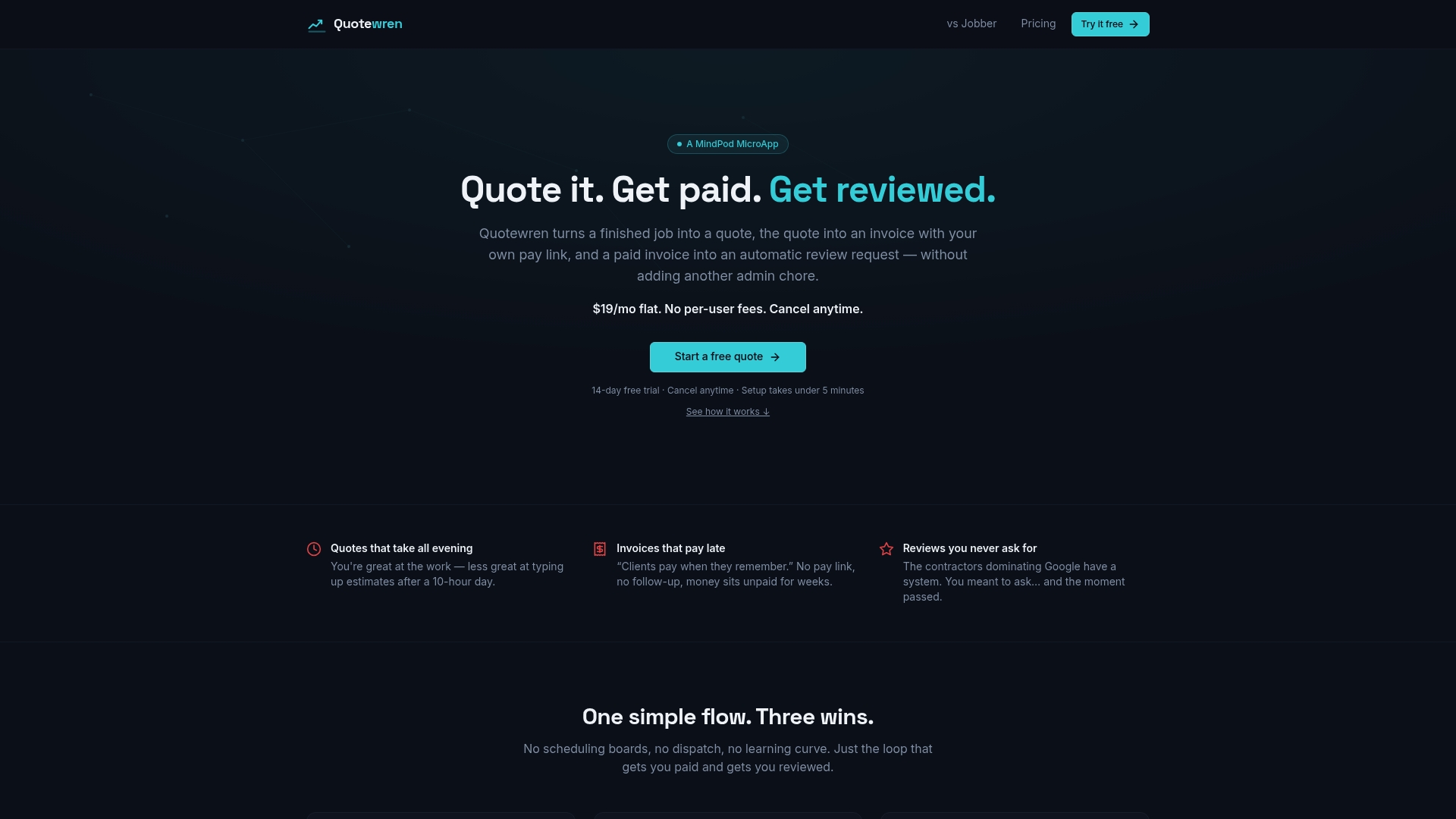
There is a Free plan at $0 to get started. The Quotewren plan is $19 per month, and Quotewren Crew is $39 per month. Start with Quotewren and send your next quote from your phone. If you do handyman work, the free handyman quote template is a good place to see what a clean quote looks like.
A simple plan for the next 90 days
- Week 1. Claim and fill out your Google Business Profile. Add photos, services and your service area. If you do not want your home address shown, read what a service-area business should display.
- Weeks 1 to 4. Ask every finished customer for a review. Gather license and insurance documents. Apply for LSA if your trade is eligible.
- Weeks 3 to 6. Set a written budget cap. Decide who answers calls and messages, and in what window.
- Weeks 4 to 12. Log every lead and the outcome. Dispute bad leads fast.
- Day 60 to 90. Work out cost per job won and gross profit per job. Keep, change or stop. Then consider adding the second channel.
For more low-cost ways to get calls while the ads warm up, see six weekend moves for local leads.
FAQ
What is better, Google Ads or LSA?
For most eligible solo trades with urgent, phone-first work, LSA is the easier starting point. You pay per lead, and you get the verified badge and top placement. Google Ads is better when your trade is not eligible or you need to send people to a specific page. Many shops end up using both once they have reviews and budget.
Are LSAs worth it?
They can be, if you answer quickly and close a fair share of the leads. The test is cost per job won compared with the profit on the job, not cost per lead. Set a spending cap, log every lead, and judge after 60 to 90 days.
Is Google Ads worth it for a small local business?
It can be, when you have a website that explains your services and makes it easy to call or book. Clicks cost money even when no one calls, so keyword choices and your landing page matter. Track calls and booked jobs from the ads, not just clicks.
Can I run LSA and Google Ads together?
Yes. Google's own guidance suggests using both to reach people at different stages of searching. One guide notes running both can put you in two of the top three spots on the page. Wait until you can afford meaningful spend in both and can handle the extra calls.
Sources
- Reach Local Customers with Local Service Ads (Google)
- How much does Google Ads cost? (Google)
- Google Ads vs Local Services Ads for small business (Google)
- Local Services Ads transition to Performance Max campaigns (Google Ads Help)
- How leads work (Local Services Help)
- Understand the screening and verification process (Local Services Help)
- Getting started with Local Services Ads (Local Services Help)
- Local Services Ads vs Google Ads for Contractors
- LSAs vs. Google Ads for Home Services
- Marketing for Contractors: Channel-by-Channel Guide
- Google Ads for Handyman Services: Setup, Costs, Tips
- Every Industry Eligible for Google LSA
- How Long Google Verified Takes for Roofers
- Local Services Ads vs Google Ads (Contractor Guide)
- Google Local Service Ads vs Google Ads for Home Services
- Contractor Advertising Guide
- Are paid lead sites worth it for contractors?
- Google Local Services Ads vs. Search Ads (Search Engine Land)