
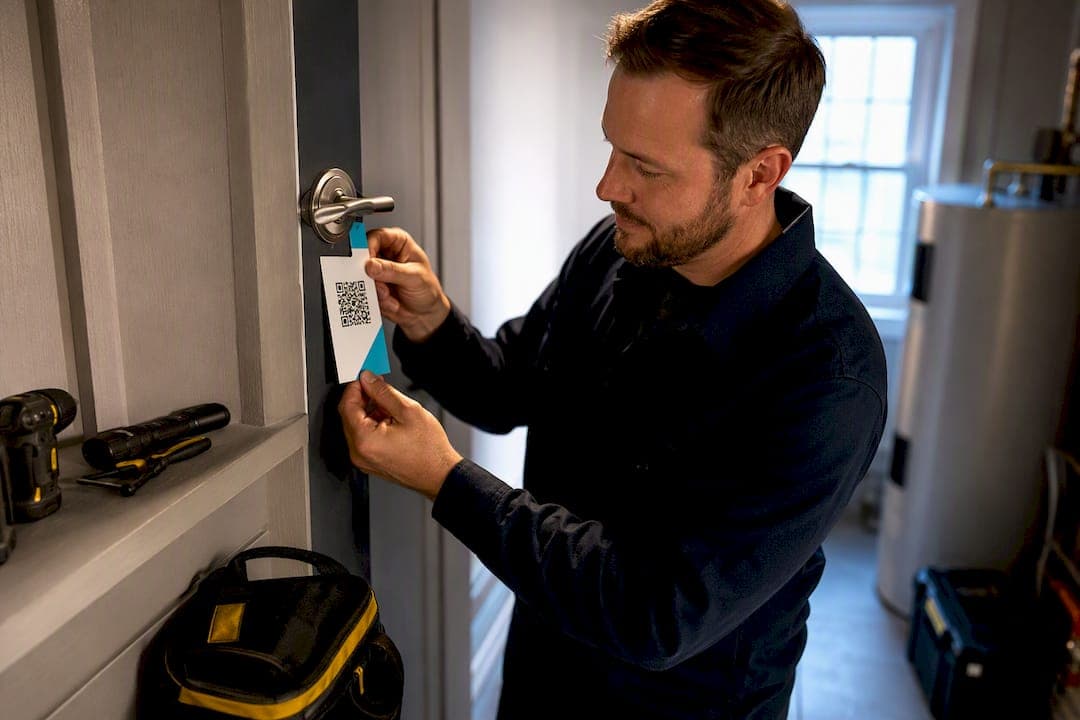
Yes, Google reviews matter for service area businesses. They feed the "prominence" signal Google uses to rank local results, and they directly move the needle on whether a homeowner picks you over the next plumber in the search results. The one thing to do this week: start asking every customer for a Google review soon after finishing the job. Everything below explains how Google actually shows reviews for service area businesses (SABs) and how to collect them without breaking Google's rules.
TL;DR:
- Reviews that mention specific tasks or neighborhoods significantly boost your business’s prominence in local search rankings.
- Consistent, recent reviews over time are more effective for ranking than a large influx of reviews in a short period.
- Asking all customers promptly after service, using neutral wording and direct links, avoids violating Google’s review policies.
- Review filters and task prompts help shape the displayed ratings and highlight your key services to potential customers.
- Automating review requests through tools like Quotewren increases review volume and quality without extra workload.
Table of Contents
- How Google Displays Reviews for Service Area Businesses
- Do Reviews Affect Local Ranking and Map Pack Visibility?
- How to Collect Reviews Compliantly (Step by Step)
- How Should You Respond to Reviews?
- What Happens When You Switch Between Storefront and Service-Area Settings?
- The SAB Review Optimization Checklist
- A Real-World Example: The Three-Touch Review Flow
- Where to Put Your Effort This Quarter
- Let Quotewren Handle the Asking
- Sources
- FAQ
How Google Displays Reviews for Service Area Businesses
Your Google Business Profile shows one combined star rating up top, which most customers glance at before they even read a single word. Behind that number, Google sometimes tracks aspect ratings for certain service categories, which may score specific parts of the job like communication or cleanup separately from the overall experience.
Here's what actually shapes what a searcher sees on your profile:
- Combined rating: calculated from the ratio of positive to total ratings, leaving out any unrated aspects, according to Google's own guidance on service business reviews.
- Aspect ratings: some service categories prompt customers to rate specific tasks, not just the business overall.
- Task prompts: Google may ask a reviewer which job you did for them, pulled from the services list on your profile.
- Review summary filters: owners and searchers alike can filter reviews, which is why a profile with only three vague five-star reviews looks weaker than one with twenty reviews mentioning specific jobs.
That task-prompt detail matters more than most owners realize. If your services list says "drain cleaning," "water heater repair," and "leak detection," Google is more likely to nudge reviewers toward naming the exact job you did. A vague services list gets you vague reviews. A specific one gets you reviews that read like proof.
You can check your own combined rating and review summary anytime by searching your business name on Google and reviewing the filters yourself, a habit worth building into your monthly routine (Google Business Profile Help). Our guide on setting up and replying to Google reviews for trades walks through exactly what to check.
Do Reviews Affect Local Ranking and Map Pack Visibility?
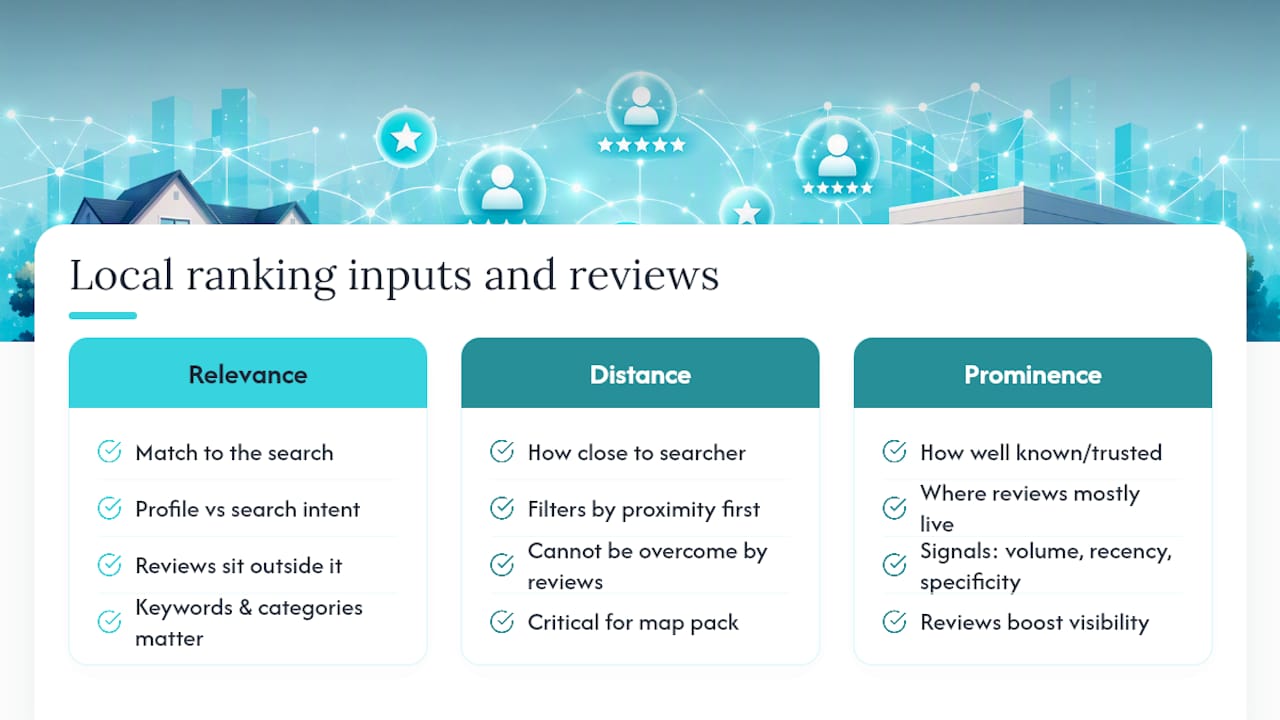
Reviews help, but they are not a shortcut around distance. Google's local ranking runs on three classic inputs: relevance (does your profile match the search), distance (how close you are to the searcher or their service area), and prominence (how well known and trusted your business is). Reviews live almost entirely inside that third bucket.
Prominence is built from review volume, recency, and specificity, not star count alone. A profile with 40 reviews earned steadily over two years, several mentioning specific neighborhoods and jobs, reads as more prominent to Google than a profile with 40 reviews dumped in one week and never touched again. Recent reviews carry more weight because they tell Google (and customers) that you're still active and still doing good work, a pattern confirmed by practitioner data from BrightLocal's guide to service area business optimization.
Task-specific mentions do double duty here. A review that says "fixed our garbage disposal in under an hour" tells Google what service you performed and tells the next customer you're reliable at exactly the job they need. Generic five-star reviews with no detail still help your combined rating, but they don't do much for prominence or for convincing a skeptical reader.
Here's the part that trips up a lot of solo operators: reviews cannot overcome distance. If a customer is searching for an electrician and you're 25 miles outside their service area while three electricians with fewer reviews sit five minutes away, those closer competitors will usually outrank you regardless of your star rating. Directories like Angi's contractor listings work the same way, filtering by task and proximity before star rating even enters the picture.
The practical takeaway: treat reviews as a steady investment in trust, not a lever you can rely on alone to fix a location problem. Keep your service areas accurate, keep asking for reviews every week, and let distance and relevance do their own job.
How to Collect Reviews Compliantly (Step by Step)
Google has clear rules here, and breaking them can get your reviews wiped or your profile flagged. You cannot offer incentives for reviews, cannot ask customers to change a rating, and cannot pressure anyone into removing a negative one, according to Google's requesting-reviews policy. The good news: a plain, consistent process beats any workaround anyway.
- Ask every customer, not just the happy ones. Skipping the tricky jobs and only asking your easiest customers skews your review pool and looks obvious to anyone who reads closely.
- Send the request soon after finishing the job, while the work is still fresh and before the invoice becomes an afterthought.
- Use your direct review link or a QR code on the invoice, not a vague "please review us" text with no link attached.
- Keep the wording neutral. Something like: "Thanks for choosing us for your [service]. If you have a minute, a Google review helps other homeowners in [area] find us."
- Follow up once, gently, if there's no response after 24 to 48 hours. A short nudge, not a repeat ask with more pressure.
- Send a final, low-key follow-up around day 5 to 7 for anyone who still hasn't responded, then stop.
Consistency beats intensity here.
Pro Tip: Test your review link every time you edit your Google Business Profile. Address changes, category updates, and even service list edits can occasionally break a saved short link, and you won't know until a customer tells you it led nowhere.
A few technical habits worth building in: track how many texts convert to actual reviews so you know if your wording or timing needs adjusting, and if you're handing out a printed QR code on invoices or door hangers, scan it yourself monthly to confirm it still resolves. Our breakdown on getting your Google review link working fast covers the setup end of this, and the guide to using QR codes for faster reviews is worth a look if you're still asking customers verbally and hoping they remember.
How Should You Respond to Reviews?
Speed and tone both matter. A reply within a day or two, written in your own words rather than a copy-paste template, tells future customers you actually pay attention.
For a positive review, keep it short and specific: "Thanks, Maria! Glad we could get that water heater swapped out before the cold snap hit." For a complaint, acknowledge it without getting defensive: "Sorry the wait on your quote took longer than expected. Please call us at [number] so we can make it right."
When a review turns into a real problem, follow this triage order:
- Reply publicly first, calm and factual, no matter how unfair the review feels.
- Try to resolve it privately by phone or text, offering a real fix if one exists.
- Document the outcome, what was said and what you offered, in case you need it later.
- If the review violates Google's policy (fake reviews, competitor sabotage, off-topic rants, personal attacks), report it to Google rather than arguing in the comments.
If you're requesting a removal, Google wants evidence: job dates, photos, texts, or proof the reviewer was never actually a customer. Vague complaints that a review is "unfair" rarely get pulled. Our guide on replying to reviews in 10 to 20 minutes has ready-to-use templates for both praise and complaints if you'd rather not write from scratch every time.
What Happens When You Switch Between Storefront and Service-Area Settings?
Toggling your address visibility or switching from a storefront listing to a service-area setup usually does not erase your existing reviews. They typically stay attached to your profile through the change. What can happen is reverification, since Google sometimes needs to re-confirm your business details after a major edit, and that process can cause a short dip in visibility while it runs, a pattern documented in BrightLocal's service area business research.
Before you touch anything, build a small backup:
- Screenshot your current review count and star rating.
- Save your live review URL somewhere outside Google, in case the link changes.
- Write down your exact business name, address, phone number, and category list (your NAP details) so you can restore them if something looks off after the edit.
After the change goes live, test your review link again to confirm it still points to the right profile. Watch your call and impression numbers over the next two to three weeks. If visibility drops and doesn't recover, that's the point to reach out through Google Business Profile Help rather than assuming it will fix itself.
The SAB Review Optimization Checklist
Reviews do more work when the rest of your profile backs them up. Here is the priority order for a service area business:
- Lock in the right primary category. "Plumber" instead of a vague "Contractor" tells Google exactly which searches you should show up for.
- List services in plain customer language. "Clogged drain repair" beats "drainage services" because it matches how people actually search.
- Set realistic service areas. Covering three counties you rarely drive to hurts relevance more than it helps reach.
- Add recent job photos regularly. A profile with photos from six months ago reads as inactive, even with a strong star rating.
- Encourage task and neighborhood mentions in review requests. A review naming "Riverdale" and "AC repair" does more for local proof than a generic "great service."
- Reuse your best reviews on your website. Turn a strong review into a short testimonial or blog post that echoes the same service-area language your profile uses, an approach detailed in this GBP optimization checklist.
Pro Tip: Track review velocity, not just star average. If you went from two reviews a month to zero for eight weeks, that gap is more likely to hurt your prominence than one three-star review mixed into a steady stream of five-star ones.
Measure results the same way you'd measure any lead source: track calls or booking requests in the weeks after a review uptick. If you see a jump, you've got proof the effort pays off. Similar practical steps show up in ForgeWeb Studio's local optimization guide, worth a skim if you want a second checklist to cross-reference against your own.
A Real-World Example: The Three-Touch Review Flow
Picture a solo HVAC tech who finishes a furnace repair at 3 p.m. An automated system fires off a text within the hour: "Thanks for choosing us today. Mind leaving a quick Google review?" with a direct link attached. If there's no click by the next afternoon, a second, friendlier text goes out. If still nothing after five to seven days, one last low-pressure nudge closes the loop.
- Watch your review conversion rate: what percentage of requests turn into an actual review.
- Watch time-to-first-review: faster is usually better, since memory of the job fades fast.
- Small timing tweaks, sending the first text an hour after the job instead of the next morning, can noticeably raise response rates.
Automation handles the asking. It cannot fix a rushed job or a technician who shows up late, so the flow only works as well as the work behind it.
Where to Put Your Effort This Quarter
Right now, the single highest-leverage move is building a review request into every finished job, no exceptions, no "I'll ask the nice customers later." A process beats a habit you mean to start someday. Once that's running steady, the next quarter's project is matching your website's service-area pages to the same language your reviews use, then keeping an eye on how recent your review stream stays.
— jaras
Let Quotewren Handle the Asking
Quotewren is built for solo tradespeople who don't have a spare hour to chase down review requests between jobs, and it maps directly onto the three-touch flow described above. Once you mark a job complete, Quotewren sends the review request automatically, an immediate SMS with your direct review link, a friendly reminder if there's no response, and a final gentle follow-up, so nothing depends on you remembering at the end of a long day.

It fits the same workflow you're already running: quote the job, invoice it, get paid through an integrated pay link, and let the review request go out without a second thought. Every paid plan includes the automated review engine, starting at Quotewren for $19 a month, with a Quotewren Crew option at $39 a month for those juggling more jobs, or a free plan to start. If you're still sending review texts by hand, or worse, forgetting entirely, start a free trial and see how much of that admin work disappears on its own.
Sources
- About reviews for service businesses — Google Business Profile Help
- Local SEO for service-area businesses — BrightLocal
FAQ
Do Service Area Businesses Show Up on Google Maps?
Yes. SABs appear in Google Maps and the local map pack when they match a search's relevance and distance criteria, even without a public storefront address showing.
How Do You Verify a Service Area Business on Google?
Google typically verifies SABs by mail, phone, email, or video call depending on the business category, following the same core verification process as any Business Profile, then confirms your service area settings during setup.
What Are Some Examples of Service Area Businesses?
Plumbers, electricians, HVAC technicians, landscapers, cleaning services, and handyman businesses are all common examples since they travel to the customer rather than serving people at a fixed location.
What Does "Service Area" Mean in a Business Profile?
It defines the cities, zip codes, or regions where you actually do business, and Google uses that setting, not a storefront address, to decide which local searches you're eligible to show up in.
Does Quotewren Help With Google Reviews for Service Area Businesses?
Yes. Quotewren automates review requests right after a job is marked complete, sending a direct review link by text so solo tradespeople don't have to remember to ask manually.