
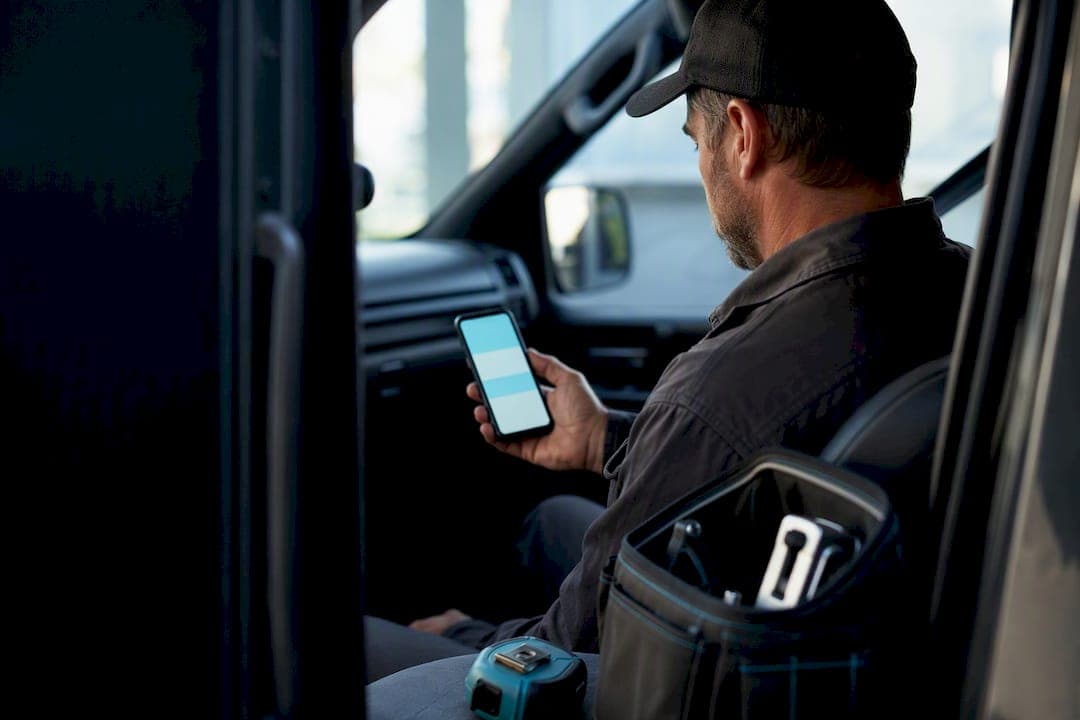
Text the quote plus a secure pay link. That single move gets you faster approvals and faster payments than email or a callback ever will, because SMS response times crush email for time-sensitive jobs like a cracked water heater or a dead AC unit in July. You can send it from your phone right now, or let a tool like Quotewren fire it off automatically the moment a job wraps.
TL;DR:
- Sending SMS quotes with a secure pay link and clear deposit details can significantly accelerate approvals and payments compared to email or callbacks.
- Using a registered business texting number or quoting app improves message deliverability and automates workflows, saving time and reducing manual effort.
- Maintaining strict compliance by obtaining prior consent, including opt-out options, and respecting quiet hours is essential to avoid legal issues and customer annoyance.
- A four-touch follow-up sequence—initial quote, a two-day nudge, a final reminder, and a post-job review request—greatly improves quote closing rates and review collection.
- Automating these processes through dedicated quoting tools can eliminate manual copying, ensure consistent messaging, and streamline the entire quote-to-payment cycle.
Table of Contents
- What You Need Before Texting a Quote
- Short, Copy-Ready SMS Templates for Quotes, Approvals, and Invoices
- Ways to Send SMS Quotes and How to Set Each One Up
- How to Include Pay Links Safely
- A Follow-Up Cadence That Closes Quotes and Builds Reviews
- Compliance Basics for Texting Quotes and Invoices
- Quick Priorities and the Mistake That Costs You Jobs
- Quote It, Text It, Get Paid With Quotewren
- Sources
- FAQ
What You Need Before Texting a Quote
You don't need fancy software to send your first SMS quote, but you do need a few things lined up so the text actually works and doesn't get you in trouble.
- Consent on file. Get a "yes, text me updates" from the customer before you send anything promotional, and jot down when and how they agreed.
- A short, mobile-ready quote. One line with the job, the price, and what's included. No paragraphs.
- A secure pay link. Something hosted, not a request for a card number typed into a text thread.
- A sending method. Your phone, a business texting line, or a quoting app.
- A template and a follow-up plan. Decide now what you'll say if they don't answer in two days.
Skip any one of these and you'll either scare off a customer or create a paper trail problem later.
Short, Copy-Ready SMS Templates for Quotes, Approvals, and Invoices
Good SMS copy is boring on purpose. One idea, one link, one action. Here are four templates you can copy right now and swap in your own details.
- Quote message: "Hi Mike, this is Dana from Clearview Plumbing. Quote for the water heater swap: $1,450, includes haul-away. Approve here: [link]. Questions, just reply."
- Approval confirmation: "Thanks Mike! You're on the schedule for Thursday 9am. I'll text when I'm on my way."
- Invoice + pay link: "Job's done, Mike. Invoice is $1,450, due on receipt. Pay securely here: [link]. Thanks for choosing us."
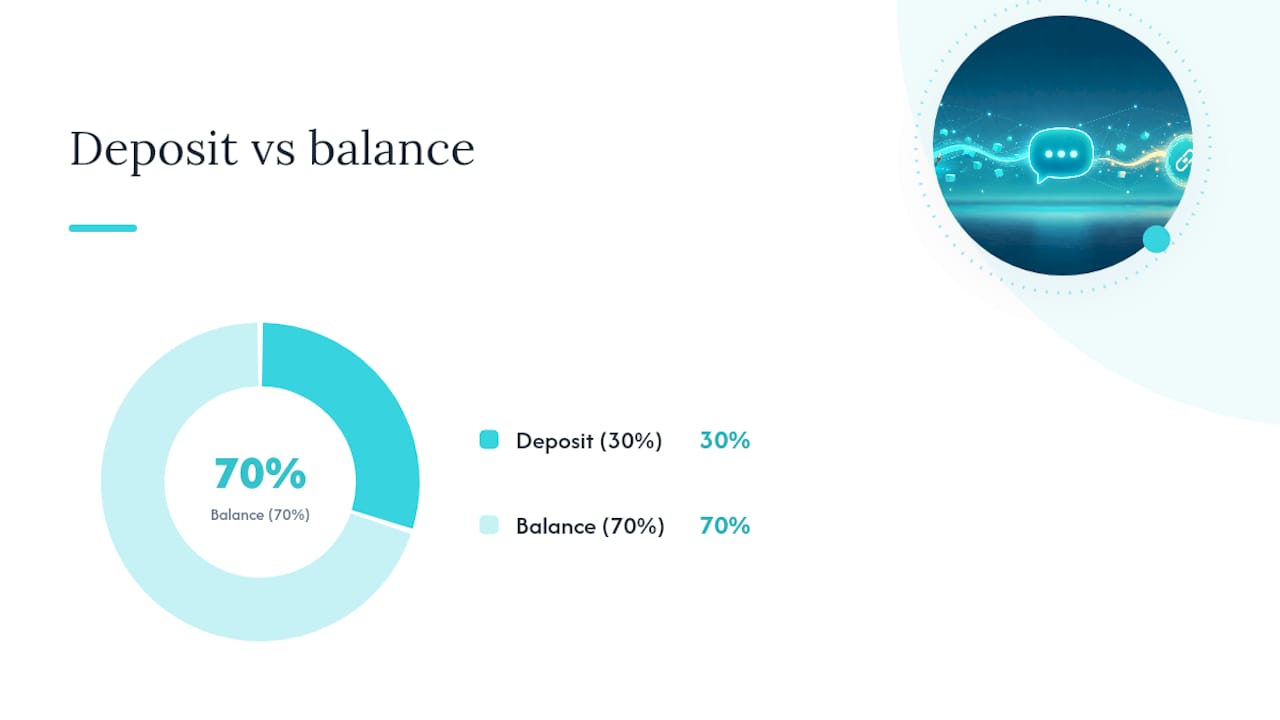
- Deposit request: "To lock in your install date, a 30% deposit ($435) holds your spot. Pay here: [link]. Balance due at completion."
- Follow-up nudge: "Just checking in, Mike. Quote's still good through Friday. Any questions before you decide?"
Every one of these follows the same three rules. First, one ask per message. Don't bundle "approve the quote and also leave a review" into a single text. Second, personalize it. Use the customer's name and a job detail, not "Dear Valued Customer." Third, keep your main call-to-action under roughly 70 characters. Short, human-sounding messages consistently outperform longer ones, and speed matters just as much as brevity. Contractors who reply within minutes close more work than those who wait hours.
Pro Tip: Write your quote message like you're texting a neighbor, not filling out a form. If it sounds like a lawyer wrote it, rewrite it.
Ways to Send SMS Quotes and How to Set Each One Up
You've got three real options for getting quotes out by text, and each one fits a different stage of your business. To improve your follow-up strategy and speed-to-lead process, consider the sales and follow-up services from Sales Phoenix.
- Native phone texting. Fastest to start. Open your messages app, type the quote, send. No setup, but you're stuck copy-pasting every message and you'll lose track of who's paid and who hasn't once you pass a handful of open jobs.
- 10DLC or SMS gateway. A registered business texting number improves deliverability and keeps carriers from flagging your messages as spam once you're sending regularly. It takes a short registration process but pays off if you text more than a few customers a week.
- Quoting or invoicing app. This is where automation lives. Triggers send the quote the moment you finish an estimate, templates keep your wording consistent, and the pay link is already built into the invoice. Field service platforms that automate these triggers cut hours of manual texting and follow-up work every week.
On cost, plain carrier texting is usually free through your phone plan, while dedicated SMS routing typically runs a few cents per message, though many quoting apps just bundle texting into a flat monthly subscription instead of billing per message. A shared inbox or SMS dashboard also keeps replies from getting buried in your regular texts, which matters once you're running five or six jobs a week. If you're still deciding between wording a fixed price versus a rough number, our guide on quotes versus estimates breaks down when to use each.
How to Include Pay Links Safely
Never ask a customer to text you their card number. Use a hosted pay page with HTTPS, or a payment processor you already trust, and link to it instead. The pay page itself should show the job summary, the amount due, any deposit terms, and a phone number the customer can call if something looks off.
For deposits, structure the ask clearly in the text itself: state the deposit amount, what it covers, and when the balance is due. Don't make the customer guess whether $435 is the whole bill or a down payment. For full payment, keep it just as plain. "Invoice is $1,450, due on receipt" leaves no room for confusion.
Once the payment clears, send an immediate confirmation text and follow it with an emailed receipt. That two-step confirmation does double duty. It reassures the customer the payment went through, and it gives you a paper trail if a dispute ever comes up. Our quote-to-invoice guide walks through that handoff in more detail, and the online payments guide covers receipt handling specifically.
A Follow-Up Cadence That Closes Quotes and Builds Reviews
Open quotes die from silence, not rejection. A tight four-touch sequence keeps you top of mind without turning into a pest.
- Day 0: Send the quote by text, with an email copy for your records.
- Day 2: Short nudge text if there's no response: "Still good through Friday, any questions?"
- Day 5: Final follow-up, offering a quick call if they're stuck deciding.
- 24 to 48 hours after job completion: Send a short review request: "Thanks again for the work, Mike! Mind leaving us a quick review here: [link]?"
Automated review requests sent within a day or two of finishing the job capture far more reviews than waiting a week, mostly because the job is still fresh in the customer's mind. Our quote follow-up templates guide has more sample wording if you want to build this sequence yourself.
Compliance Basics for Texting Quotes and Invoices
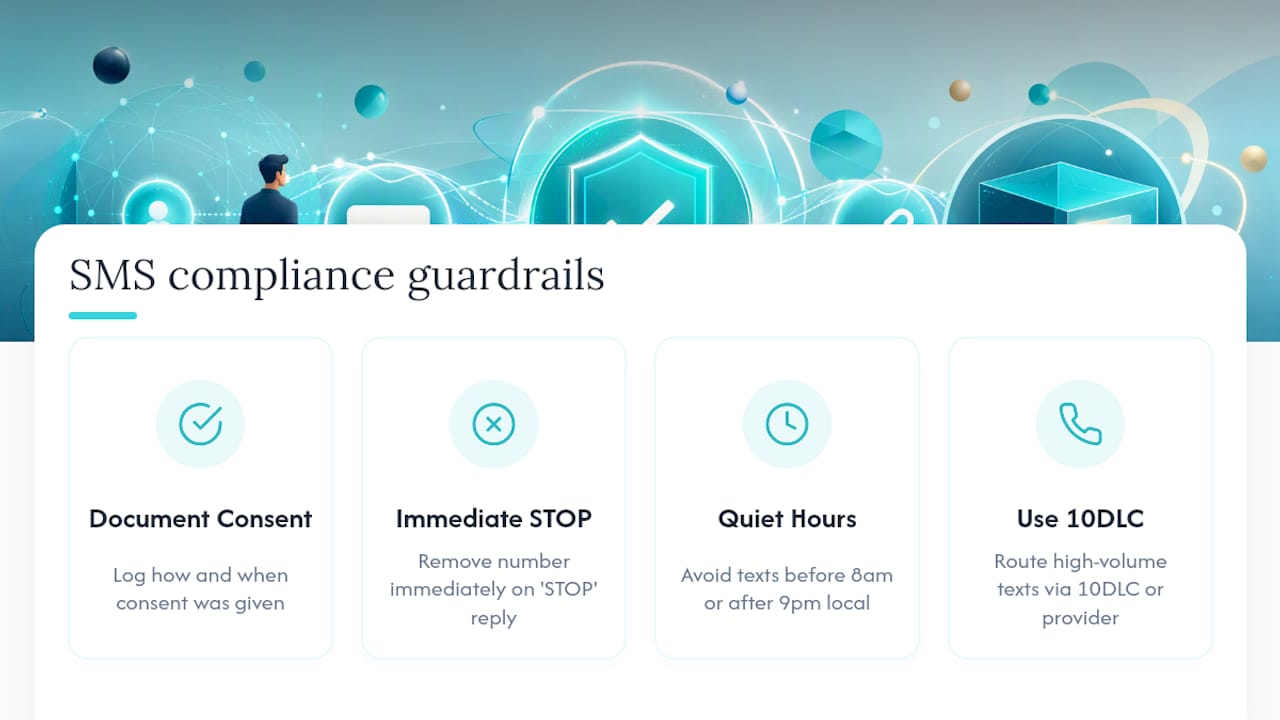
Before you send a single promotional text, get clear consent from the customer and log how and when they agreed. Federal rules under the TCPA require prior consent for marketing texts, and skipping that step can create real legal exposure, not just an annoyed customer.
Every message needs an easy opt-out. If a customer replies "STOP," that number comes off your list immediately, no exceptions. Respect quiet hours too. Most guidance points to avoiding texts before 8 a.m. or after 9 p.m. local time, and some states add their own wrinkles on top of federal rules, so check with a professional if you're texting across state lines regularly.
If you're sending more than a handful of texts a week, route them through a 10DLC-registered number or a compliant SMS provider. Unregistered high-volume texting gets flagged and filtered by carriers, which means your quote might never even reach the customer's phone. Our invoice reminders setup guide covers how to keep automated reminders inside these same guardrails.
Quick Priorities and the Mistake That Costs You Jobs
Automating the quote to SMS flow is worth doing because every manual step you skip is a step a customer can't ignore or lose in their inbox. If you do nothing else this week, do three things: get consent logged for your active customers, build one clean quote template with a pay link, and set a two-day follow-up reminder for anything unanswered.
The mistake that costs contractors the most jobs isn't a bad quote. It's over-texting, or skipping opt-in entirely and hoping nobody minds. Customers mind. Keep every message short, human, and tied to one action.
— jaras
Quote It, Text It, Get Paid With Quotewren
Some quoting apps turn a finished job into a quote, then an invoice, then send an automated review request, without you touching a spreadsheet or a separate texting app. These tools are often designed for solo operators, so pricing and setup can be simple and fast.

Everything covered above, the templates, the pay links, the follow-up cadence, is what some quoting tools automate behind the scenes. You write the job once, and the software sends the quote by text, follows up if it goes quiet, generates the invoice with a pay link once you approve it, and sends a review request 24 to 48 hours after the job is done. This avoids manual copy-pasting and forgotten follow-ups. If you want to see how it fits your workflow, start a trial with Quotewren and send your next quote by text before the day's out.
Sources
- SMS Marketing for Contractors
- Why Should Field Service Contractors Use SMS Marketing? 5 Reasons Text Messaging Works
FAQ
What Is an SMS Quote?
An SMS quote is a price estimate for a job, sent by text message, usually with a secure pay link attached so the customer can approve and pay from their phone.
Do I Need Special Software to Send SMS Quotes?
No. You can text a quote from your own phone, but a quoting app like Quotewren automates the sending, follow-up, and invoicing so you're not doing it manually every time.
Is It Legal to Text Customers Price Quotes?
Yes, but marketing texts require prior consent under the TCPA, an easy opt-out, and often a registered 10DLC number if you're texting regularly.
How Fast Should I Follow Up on an Unanswered Quote?
A short nudge around day two, then a final follow-up around day five, tends to close more open quotes than waiting a week or texting daily.
When Should I Send a Review Request After a Job?
Send it 24 to 48 hours after the job is finished, while the work is still fresh in the customer's mind, with a short message and a direct review link.