

Google's review policy now flatly bans review gating, incentivized reviews, and on-premises review kiosks — full stop. If your review process routes happy customers to Google and sends unhappy ones somewhere private, that's gating, and it can get your reviews wiped or your Business Profile restricted. Your move this week: audit every review tool you use and shut down anything that sorts customers by how they feel before they leave a review.
TL;DR:
- Google's policies now explicitly ban review gating, including filtering customers by satisfaction before sending reviews, with automated detection using AI and pattern recognition.
- Using shared tablets or kiosks to collect reviews is prohibited, and asking customers to mention specific staff members now also counts as a violation.
- Sending identical review requests to all customers without sorting or filtering helps avoid policy violations and is the safest way to gather reviews.
- Enforcement actions include removing violating reviews, profile restrictions, or suspension, triggered mainly by suspicious review patterns or bursts.
- Businesses should maintain records of their review requests and avoid incentivizing reviews to strengthen their case if reviews are removed or flagged.
Table of Contents
- What Changed in Google's 2026 Review Policy Update
- What Google Forbids: Clear Examples of Policy Violations
- Consequences and Enforcement: What Happens if You Break the Rules
- How to Ask for Google Reviews the Compliant Way
- Handling Fake, Abusive, or Removed Reviews
- Why Simple Automation Avoids Accidental Gating
- Get More Reviews Without the Gating Risk
- Sources
- FAQ
What Changed in Google's 2026 Review Policy Update
Google tightened the language around three things this year: kiosks, staff-name requests, and review gating itself, reflecting stronger enforcement efforts. The Maps User Generated Content policy now specifically calls out shared tablets and review kiosks as banned, along with asking customers to name a specific technician in their review. Neither was clearly spelled out before. Now they are.
Why the crackdown? Google says it removed or blocked over 292 million policy-violating reviews in recent enforcement work, using AI detection paired with human reviewers. That's not a rounding error. It means Google is actively hunting for patterns, not just responding to complaints, having removed hundreds of millions of violating reviews recently.
Here's what's new or clarified in the 2026 update:
- Kiosks and shared tablets at your shop or job site for collecting reviews are explicitly prohibited.
- Asking a customer to mention a specific employee by name in their review is now called out as a violation.
- The definition of "gating" has been tightened to include automated sorting, not just manual filtering.
- Enforcement moves faster, with AI flagging suspicious patterns like review bursts or copy-paste phrasing.
For a plumber or electrician who's been handing a tablet to customers at checkout for two years, this is the part that stings. That practice felt normal. It's now a flagged violation, and Google's systems are better at catching it than they used to be.
What Google Forbids: Clear Examples of Policy Violations
Review gating is any process that separates happy customers from unhappy ones before they leave a review, and only pushes the happy ones toward Google. Two real-world examples:
- A pre-review survey asks "How was your service?" Customers who answer positively get a link to Google. Customers who answer negatively get a private feedback form instead. That's gating, even if no human ever looks at the results.
- A cleaning company owner reads every review request response first, then only forwards the good ones to their public review link, quietly ignoring the rest. Same violation, just done by hand instead of by software.
Incentivized reviews cover any exchange, no matter how small. Offering a $10 discount for a review, a free oil change, loyalty points, or even removing a negative review in trade for a new positive one, all break the prohibition on incentives.
On-premises pressure includes the kiosk problem mentioned above, plus a landscaper standing next to a customer's phone while they type, or a technician saying, "Make sure you mention my name, it helps me out." Both count.
Other violations worth knowing:
- Asking employees or family members to post reviews for your own business.
- Posting reviews from multiple accounts you control, or using emulators to fake multiple devices.
- Editing a review after posting to remove language that seems fake or coached.
Pro Tip: If a customer offers to leave a review "as a favor" after you mention it feels like pressure, wait for them to bring it up first, or send the same automated request every customer gets. That protects you from an accidental gating claim.
Consequences and Enforcement: What Happens if You Break the Rules
Google doesn't warn first in most cases. It acts. Enforcement typically looks like one of four things: removing the offending reviews, temporarily pausing new reviews on your profile, restricting features on your Business Profile, or suspending the profile outright for repeat or severe violations.
What triggers a flag? A sudden spike in five-star reviews over a short window, reviews with near-identical wording, or a pattern of reviews posted right after a known promotion. Google's systems are built to spot exactly this kind of clustering.
Google reported blocking or removing more than 292 million policy-violating reviews as part of its recent enforcement push, combining automated detection with human review teams.
There's a second layer of risk beyond Google itself. The FTC has proposed rules banning fake reviews and testimonials, and systematic gating can draw regulatory attention on top of a platform penalty. For a U.S. small business, that's two agencies you'd rather not deal with at once.
If enforcement hits your profile, here's what helps in an appeal:
- Screenshots of your actual review request messages showing identical wording sent to every customer.
- Timestamps showing reviews came in gradually, not in a suspicious burst.
- Records showing you never offered a discount, gift, or payment tied to a review.
How to Ask for Google Reviews the Compliant Way
The safest workflow is also the simplest one. You don't need a sorting system, a survey, or a tablet by the register. You need one message, sent the same way, to every single customer.
- Finish the job and confirm satisfaction in person or by phone. A quick "Everything look good?" before you leave the job site is fine. Asking for a review right there is not, especially with a device in your hand.
- Send the identical automated review invitation to every customer after the job's done. No sorting by how the conversation went. Everyone gets the same text or email, whether they seemed thrilled or lukewarm.
- Follow up once, at most, a few days later. No sentiment filtering, no second guessing who to send it to.
A short SMS example that works for HVAC, plumbing, or handyman jobs: "Thanks for choosing [Business Name]! If you have a minute, we'd appreciate a quick Google review: [link]. Thank you!" No mention of an incentive, no staff name request, nothing that pressures the reader.
Run a private feedback channel alongside this, not instead of it. Give every customer both a way to complain privately and the same public review invitation everyone else gets. That way an unhappy customer can vent to you directly without ever being filtered away from Google. This dual-path approach avoids gating because nobody's public review link depends on how they answered a private question first.
Before you roll any of this out, audit your current tools. Check whether your CRM, invoicing app, or review widget includes a pre-rating step or "smart" routing feature. Many reputation management tools quietly include sentiment routing, and you may not realize your software is doing exactly what Google now bans. A direct review link or QR code on the invoice works better anyway. Less friction, faster response, and zero gating risk.
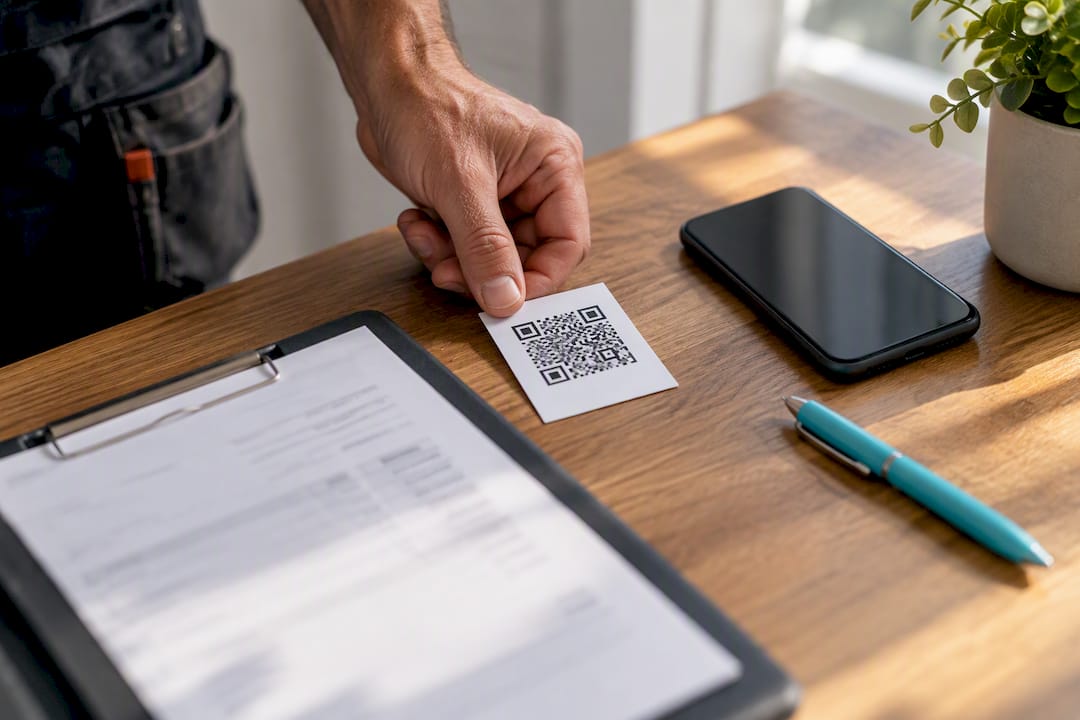
Pro Tip: Put your review link on the invoice itself, not just in a follow-up text. Customers who pay and see the link right there are more likely to tap it while the job's still fresh in their mind.
Handling Fake, Abusive, or Removed Reviews
Spot a fake or clearly abusive review? Flag it right from your Business Profile dashboard. Google reviews flagged content against its policy, and clear violations, like a review from someone who was never your customer, often come down within days. If the flag doesn't resolve, escalate through Google's business support channel.
For an appeal to succeed, gather your paper trail before you file it:
- The original job record or invoice tied to the date in question.
- Photos from the job site, especially timestamped ones.
- Text or email threads with the customer.
- Payment receipts showing the transaction actually happened.
Third-party review removal services exist, but treat them carefully. They can help package evidence, but none of them can force Google to remove a review that doesn't clearly violate policy. Anyone promising guaranteed removal is overselling what the platform allows.
When you respond publicly to a negative review, keep it short and professional: "We're sorry to hear this didn't meet expectations. We'd like to make it right, please reach out at [phone/email]." Never argue details or disclose private information in the response. Save that conversation for a phone call.
Why Simple Automation Avoids Accidental Gating
The businesses that get flagged for gating rarely mean to break the rules. They build a "smart" system to protect their online reputation, and the smartness is exactly what trips the wire. A tablet at the counter, a pre-survey, a script that only forwards the good stuff. All of it starts as a reasonable idea and ends up looking like manipulation to Google's detection systems.
The safer pattern is almost boringly simple: finish the job, send the same automated text to everyone, follow up once. No sorting, no filtering, no decisions about who gets the link. For a solo tradesperson already juggling quotes, invoices, and actual wrench-turning, that simplicity isn't a compromise. It's the whole point. Less admin, faster reviews, and one less compliance headache to think about at 9 p.m. after a full day of service calls.
— jaras
Get More Reviews Without the Gating Risk
Quotewren is built for solo tradespeople who don't have time to babysit a review process, let alone worry about whether their software is accidentally gating reviews. It handles the whole sequence: turn a finished job into a quote, the quote into an invoice with a pay link, and then automatically send the same three-touch SMS review request to every customer after the job wraps up. No sentiment sorting. No pre-survey. Every customer gets the identical invitation, which is exactly the kind of workflow that keeps you clear of Google's gating rules while still getting more reviews in the door.

Compare that to hand-texting customers or leaving a tablet by the truck, and the time savings alone justify the switch, not to mention the compliance peace of mind. Quotewren offers a Free plan to start, with paid plans available for solo operators who want the full setup; current prices are on the pricing page. Try Quotewren and get your next job's review request out the door automatically.
Sources
- Prohibited & restricted content - Maps User Generated Content Policy Help
- New ways we’re protecting businesses on Maps
- Federal Trade Commission announces proposed rule banning fake reviews and testimonials
- Review Gating: 2026 Policy Update and What to Do Instead | Flento
FAQ
What Are the Rules for Google Reviews?
Google requires reviews to be honest, relevant, and posted without incentives, sorting, or pressure from the business being reviewed. The core rules ban review gating, incentivized reviews, and on-premises solicitation, and violations can lead to review removal or profile restrictions.
Can You Get a Bad Google Review Taken Down?
Only if it violates policy, such as being fake, posted by a non-customer, or containing abusive content. You can flag it from your Business Profile dashboard, and gathering evidence like job records and payment receipts strengthens an appeal if Google's first response doesn't resolve it.
What Are the New Rules for Businesses in Google Reviews in 2026?
The 2026 update explicitly bans in-store review kiosks and shared tablets, along with asking customers to name a specific staff member in their review. Google also tightened its definition of gating to cover automated sentiment-based routing, not just manual sorting, backed by enforcement that removed over 292 million violating reviews.
Can an Employer Delete a Google Review?
A business owner can't personally delete a customer's review, but they can flag it for Google to review against policy. Google removes reviews that violate its guidelines, such as fake reviews or ones posted by employees about their own employer, but it won't remove a review just because it's negative.
Is It Against Policy to Ask Every Customer for a Google Review?
No. Sending the same review request to every customer, with no sorting by how satisfied they seemed, is fully compliant. The violation only happens when you filter which customers get the request based on their sentiment, which is exactly what tools like Quotewren's automated review requests are built to avoid.