

Use one branded invoice template every time, not a fresh design per job. Add your logo, one brand color, clear line items, and a visible payment link, and clients pay faster because the invoice looks like it came from a real business, not a scrap of paper. The next step is simple: pick an editable template or a lightweight invoicing tool that supports branded PDFs and payment links, then reuse it for every job.
TL;DR:
- Using a consistent branded invoice template with your logo, colors, and clear line items helps clients recognize your business and speeds up payments.
- Including essential details such as unique invoice numbers, clear payment terms, and itemized descriptions reduces payment delays and client questions.
- Maintaining uniform design across all invoice types and templates prevents client confusion and reinforces your professional image.
- Ensuring logos are high resolution and branding appears across email receipts, hosted invoices, and PDFs creates a cohesive, trustworthy customer experience.
- Automating workflows from quote to invoice to payment and review with software like Quotewren minimizes manual follow-up and accelerates cash flow.
Table of Contents
- Why Branded Invoices Matter for Small Trades Businesses
- Essential Invoice Checklist: What Every Branded Invoice Must Include
- Design Rules and Template Choices That Look Professional Without a Designer
- File Specs and How Branding Carries Across Email Receipts, Hosted Invoices, and PDFs
- Step-by-Step Workflow: Quote to Branded Invoice to Pay Link to Follow-Up
- How Quotewren Helps Solo Tradespeople Implement Branded Invoices and Follow-Ups
- Legal and Tax Compliance Considerations for Branded Invoices
- Tips for Maintaining Brand Consistency Across Multiple Invoice Types and Templates
- Common Mistakes to Avoid When Designing Branded Invoices
- Case Studies: What Effective Branded Invoices Look Like in Practice
- Security and Privacy Considerations for Branded Invoices
- Author Perspective: Keep Invoices Simple, Consistent, and Copyable
- Try Quotewren to Turn Finished Jobs Into Paid Invoices Faster
- Sources
- FAQ
Why Branded Invoices Matter for Small Trades Businesses
An invoice is often the last thing a client reads before deciding whether to trust you again. For a homeowner or a property manager's finance contact, a clean, consistent invoice reads as proof that you run a real operation, not a side hustle. A professional invoice combines consistent branding, clear fee descriptions, and unambiguous terms so the person paying doesn't have to call and ask questions.
That matters more than most tradespeople realize. A plumber who sends a handwritten receipt for a $1,200 water heater swap invites a phone call asking what "parts and labor" actually covers. An electrician who sends a branded PDF with separate lines for panel upgrade, permit fee, and labor hours gets paid without the back and forth.
Here's what a branded invoice actually does for your business:
- Cuts down on "what is this charge for" calls and emails
- Makes repeat clients recognize your business the moment the invoice lands
- Signals you're set up to handle bigger jobs, not just cash gigs
- Speeds up approval when a property manager or office has to sign off before paying
An HVAC tech who quotes a furnace replacement, then sends an invoice with the same logo, same color, and matching job number, closes the loop in the client's mind. That consistency is worth more than any fancy graphic.
Essential Invoice Checklist: What Every Branded Invoice Must Include
Clients and their bookkeepers expect certain fields every time. Miss one, and you'll get a call asking for a corrected copy, which delays payment. DocuSign's service invoice templates build in fields for exactly this reason: descriptions, rates, materials, and terms, all in one place.
Here's the copyable checklist:
- Your business name, logo, phone number, and email at the top
- Client name and job site address (not just a billing address if they differ)
- A unique invoice number and the date you're issuing it
- A due date, stated plainly (for example, "Due by March 20," not just "Net 15")
- Line items with clear descriptions, hours or quantity, and rate per item
- Materials listed separately from labor
- Subtotal, tax if it applies, and the final total in bold
- Payment terms and accepted methods (card, ACH, check)
- A short reference line tying the invoice back to the original quote number
Pro Tip: Keep your invoice numbering sequential across every client, not restarted per customer. A number like INV-1042 looks more established than "Invoice #1" for every new job, and it makes tracking unpaid work much easier. For more on setting this up, see this invoice numbering system guide.
A landscaper billing for a spring cleanup should list mulch, debris hauling, and labor hours as separate lines, not one lump "yard work" charge. That level of detail is what turns a vague bill into one a client pays without pushback.
Design Rules and Template Choices That Look Professional Without a Designer
You don't need a graphic designer to make an invoice look sharp. You need restraint. Keep your logo at a reasonable size in the top corner, no bigger than roughly an inch tall in print, so it doesn't crowd out the actual numbers. Stick to one or two fonts and a single accent color pulled from your logo, then leave enough white space that the total isn't buried in clutter.
A few practical rules that hold up across trades:
- Put your logo top left or top center, never stretched or pixelated
- Use one accent color for headers and totals, not five different shades
- Leave margin space around line items so the invoice doesn't feel cramped
- Match your invoice design to your quote design so clients see one consistent brand
For template choice, it depends on how you work. A simple Word or Excel template gives you offline control if you're filling in numbers from a truck between jobs. A hosted invoice page with a built-in pay link works better if you want the client to pay on the spot from their phone. Free templates from Wave cover the Word/Excel/PDF route well, while hosted options fit the on-site estimate to instant invoice workflow better.
A handyman who estimates a deck repair on-site, then emails a branded PDF that same day with a pay link attached, closes the payment gap most solo operators struggle with.
File Specs and How Branding Carries Across Email Receipts, Hosted Invoices, and PDFs
Logos that look crisp on your laptop can turn blurry or oversized once they hit an email receipt or a hosted invoice page. Stripe's branding guidance sets a useful baseline: logos should be JPG or PNG, at least 128 by 128 pixels, and under 512 KB in file size. That's a small enough file to load fast on a client's phone but sharp enough to not look pixelated.
One branding setup often applies across more touchpoints than people expect. If you set your logo and brand color once in your invoicing account, that same branding usually shows up on your email receipts, your hosted invoice page, and your customer payment portal, not just the PDF you attach. Check your account's branding settings once, get it right, and you won't have to redo it invoice by invoice.
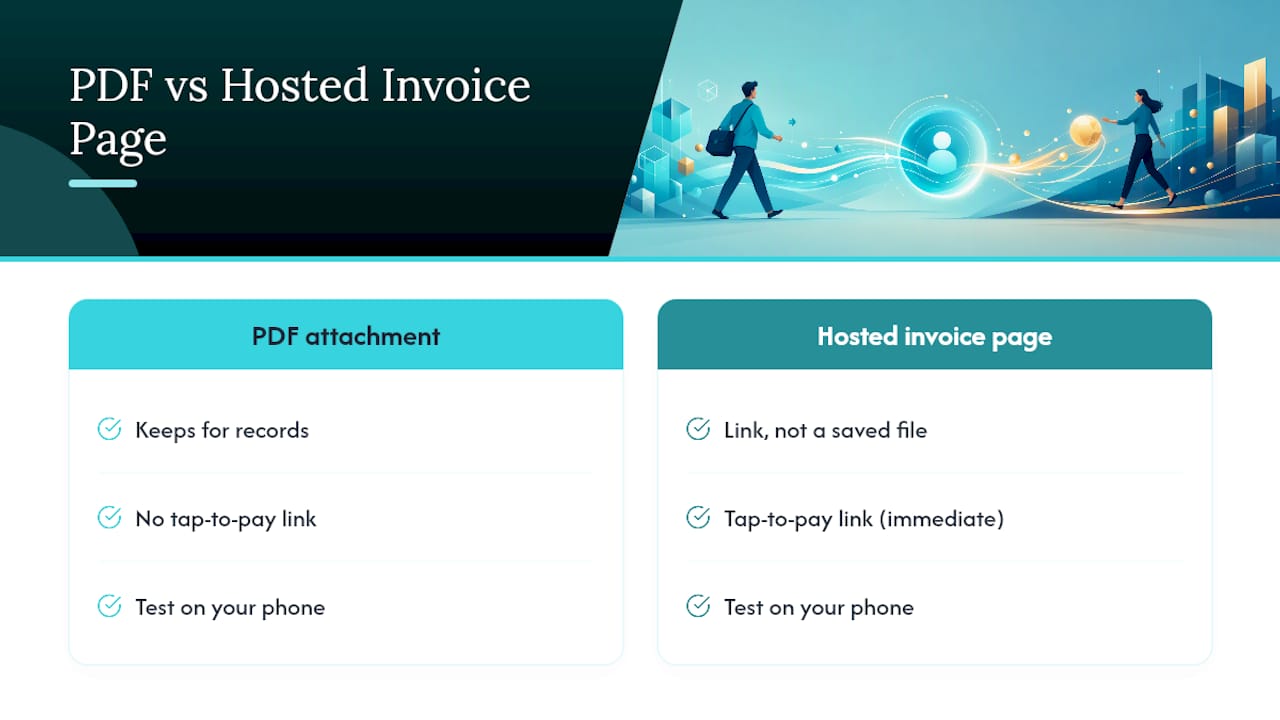
Send PDFs for attachments people want to keep for their records, and use a hosted invoice page when you want the client to tap a link and pay immediately. Test both on your own phone before sending your first real one out.
Step-by-Step Workflow: Quote to Branded Invoice to Pay Link to Follow-Up
Getting paid faster isn't about chasing harder. It's about building the same sequence every time so nothing slips.
- Send a branded quote first. Use the same logo and layout you'll use on the invoice, so the client recognizes it immediately.
- Convert the quote to an invoice the day the job finishes. Reference the original quote number so there's no confusion about what changed.
- Set a clear due date and attach a visible payment link. Card and ACH options both matter. Some clients pay instantly by card; others prefer ACH to avoid fees.
- Schedule two polite reminders. One a few days before the due date, one the day it's due.
- Send one final notice if payment is late, stating the amount owed and the original due date plainly.
- Request a short review once payment clears. Timing matters here. A request sent the same week the job wrapped gets a much better response than one sent a month later.
Pro Tip: Don't wait until an invoice is 30 days overdue to follow up. A friendly nudge at day 3 and day 7 catches most late payments before they become a real problem. This quote to invoice workflow guide walks through the timing in more detail, and setting up reminders properly saves you from having to send them manually.
How Quotewren Helps Solo Tradespeople Implement Branded Invoices and Follow-Ups
This whole workflow, quote to branded invoice to payment link to review request, is exactly what Quotewren is built to handle for solo operators. It converts a finished job into a quote, then into a branded invoice with your logo and colors already in place, and it adds a payment link so clients can pay by card or ACH without extra steps.
Once payment clears, the software can automatically send a three-touch review request by text, timed close to job completion when clients are most likely to respond. For a solo plumber or electrician juggling five jobs a week, that automation means one less thing to remember. And because this software keeps pricing flat and the feature set focused, you're not stuck learning a bloated platform just to send one clean invoice. You can set your branding once and reuse it on every job.
Legal and Tax Compliance Considerations for Branded Invoices
Branding is only half the job. An invoice also has to hold up if a client questions a charge or if you're audited. At minimum, most jurisdictions expect your invoice to show your legal business name, your business address, a unique invoice number, the date of service, and a clear breakdown of what was charged.
If you charge sales tax on materials or services in your state, that tax needs its own line, not folded into a lump total. Tax rules vary by state and even by the type of work. Some states tax materials but not labor on certain repair jobs; others tax the whole invoice. Check your specific state's rules rather than assuming your neighbor's setup applies to you, since a mismatch here is one of the more common reasons invoices get flagged.
If you operate as an LLC or under a "doing business as" name, that name has to match what's on your invoice, not a shortened or informal version. Keep copies of every invoice for at least a few years. Most tax authorities expect records available if they ask, and a branded template makes it easy to keep a consistent, organized paper trail rather than a pile of mismatched receipts.
None of this is complicated once you build it into your template. The mistake is treating compliance as an afterthought you'll fix later, when the fix is really just one extra line added to a template you already reuse.
Tips for Maintaining Brand Consistency Across Multiple Invoice Types and Templates
Most tradespeople end up with more than one invoice type: a standard job invoice, a deposit invoice for larger projects, and maybe a final invoice for a multiphase job like a bathroom remodel. The mistake is letting each one drift into its own look.
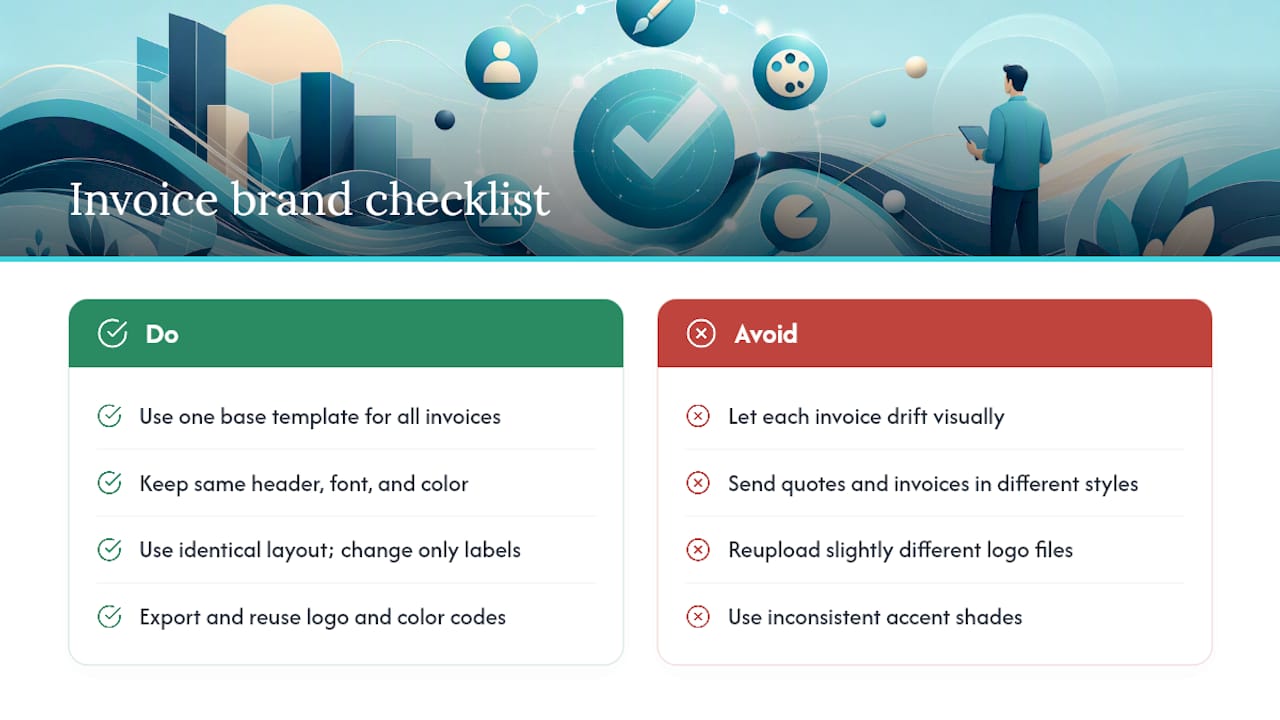
Build all three off the same base template. If your standard invoice uses your logo top left with a blue accent bar, your deposit invoice and final invoice should use the identical layout, just with different labels ("Deposit Due" versus "Final Balance"). Small, consistent touches in invoicing correlate with fewer billing questions, because clients start recognizing your format instead of re-reading it from scratch every time.
Keep your quote template and invoice template visually identical too. A client who gets a quote in one style and an invoice in a completely different one starts wondering if something changed about the job or the company. Reusing the same header, same font, and same color across quote, deposit invoice, and final invoice turns three separate documents into one recognizable thread a client can follow without confusion. A home service brand consistency checklist covers this same idea across other customer touchpoints if you want to extend it beyond invoicing.
If you use different software for quotes and invoices, export your logo and color codes once and reuse the exact same files everywhere. Don't reupload a slightly different version of your logo each time. Small mismatches, like a slightly different shade of blue, are the kind of thing clients notice without being able to say why something feels off.
Common Mistakes to Avoid When Designing Branded Invoices
The most common mistake is cramming too much onto one page. A logo, a tagline, a mission statement, and five colors on one invoice make it harder to find the total, not easier to trust the business. Keep the design restrained: one logo, one accent color, plenty of white space.
The second mistake is vague line items. "Labor: $450" tells a client nothing. "HVAC diagnostic and coolant recharge, 3 hours at $150/hour: $450" tells them exactly what they're paying for and cuts down on disputes later.
A third mistake is skipping the invoice number or reusing numbers across clients. This makes it hard for you to track what's paid and creates confusion if a client references "invoice 12" and you have three of them.
Fourth, many tradespeople forget to state the due date clearly. "Net 15" means nothing to a homeowner who's never seen an invoice with payment terms before. Spell it out: "Payment due by March 20, 2026."
Fifth, sending an invoice without a payment link or clear payment instructions slows everything down. If a client has to call and ask how to pay, you've added a step that costs you days.
Finally, don't let your invoice design drift from job to job. A logo that's slightly bigger on one invoice and a different font on the next makes your business look disorganized, even if the actual work was excellent.
Case Studies: What Effective Branded Invoices Look Like in Practice
Picture a solo electrician who upgrades a home's electrical panel. The invoice she sends has her logo top left, a single blue accent line under the header, and line items broken into permit fee, panel unit cost, and labor at a clear hourly rate. The homeowner's insurance company, which needed documentation for a claim, approved it without a single follow-up question. That's the payoff of separating fees clearly.
Compare that to a landscaper who bills a $3,000 backyard renovation as one line: "Landscaping services." The client's property management company kicked it back twice asking for a breakdown before releasing payment, adding almost two weeks to the payment timeline. The fix was simple once applied: separate lines for sod, irrigation parts, labor hours, and hauling fees. The next invoice, structured that way, got approved on the first submission.
A handyman running weekend side jobs alongside a full time role kept every invoice as a plain text email for over a year. Once he switched to a single branded PDF template with his logo and a payment link, clients started paying within two or three days instead of two or three weeks, simply because the invoice looked official enough to prioritize. The invoice itself hadn't changed in substance. The presentation had.
Security and Privacy Considerations for Branded Invoices
An invoice carries real personal information: a client's name, address, phone number, and sometimes payment details if you're not using a secure processor. Treat that data the way you'd want your own information treated.
Send invoices through a platform that uses secure, encrypted delivery rather than emailing a spreadsheet with saved card numbers typed into a note. If you're using a hosted invoice page with a payment link, the actual card or bank details should be handled by the payment processor, not stored in your own files. That keeps you out of the business of protecting sensitive financial data you don't need to hold onto.
Avoid attaching more personal information than the invoice needs. A client's job site address matters; their date of birth or full account numbers do not belong on an invoice. If you store old invoices for tax records, keep them somewhere access controlled, not in a shared folder anyone with the link can open.
If a client asks you to delete their information after a job wraps up and there's no ongoing tax reason to keep it, honor that request. Trust with a client extends past the job itself, and how carefully you handle their information after the invoice is paid is part of that.
Author Perspective: Keep Invoices Simple, Consistent, and Copyable
The tradespeople who get paid fastest aren't the ones with the fanciest invoice design. They're the ones who use the exact same template every single time, so nothing about the invoice competes for attention with the total due. One template, reused relentlessly, beats a fresh design per job.
Referencing the original quote number on every invoice matters more than most people realize. It closes the loop on "wait, did we agree to this price?" before it becomes a dispute. And a short, polite review request after payment clears isn't an afterthought. It's how solo operators build the visibility that gets them the next job without spending a dime on ads.
— jaras
Try Quotewren to Turn Finished Jobs Into Paid Invoices Faster
This software is designed for this workflow: quote a job, turn it into a branded invoice with your logo and colors already set, attach a payment link, and send a polite review request once the client pays.

Instead of juggling a Word template for quotes, a different app for invoices, and a sticky note reminding you to ask for reviews, this tool keeps the whole sequence in one flat-priced solution built for solo operators, not fleets. That's the real difference from cobbling together spreadsheets and separate apps: one consistent branded document, from first estimate to final payment to review request, without extra software to manage.
If you're still sending handwritten receipts or mismatched PDFs, start with a free trial at Quotewren and set up your logo and branding once. From there, every quote and invoice you send carries the same professional look automatically.
Sources
- Customize invoices · Stripe Docs
- Free Professional Service Invoice | DocuSign
- Professional Invoice Template — Agiled
- Professional Invoice Template - Wave
FAQ
What Are the Three Types of Invoices?
The most common types are standard invoices (billed after work is complete), deposit or progress invoices (billed before or during a larger job), and recurring invoices (billed on a regular schedule for ongoing service work like lawn maintenance).
Can I Generate My Own Invoice?
Yes. You can build your own invoice using a Word or Excel template, a free template generator, or invoicing software like Quotewren that automatically applies your branding and adds a payment link.
What Does a Professional Invoice Look Like?
A professional invoice has your logo and one consistent accent color, clear itemized charges, a unique invoice number, a stated due date, and a visible payment method, all laid out with enough white space that the total is easy to find.
Can I Make My Own Commercial Invoice?
Yes, though a commercial invoice (typically used for shipping goods across borders) requires extra fields like item value, country of origin, and shipping terms that a standard service invoice for trades work doesn't need. Most solo tradespeople only need a standard service invoice, not a commercial one.
How Is a Branded Invoice Different From a Receipt?
An invoice requests payment and lists what's owed, while a receipt confirms payment was already received. Branding matters on both, but the invoice is the document that actually drives the client to pay.