
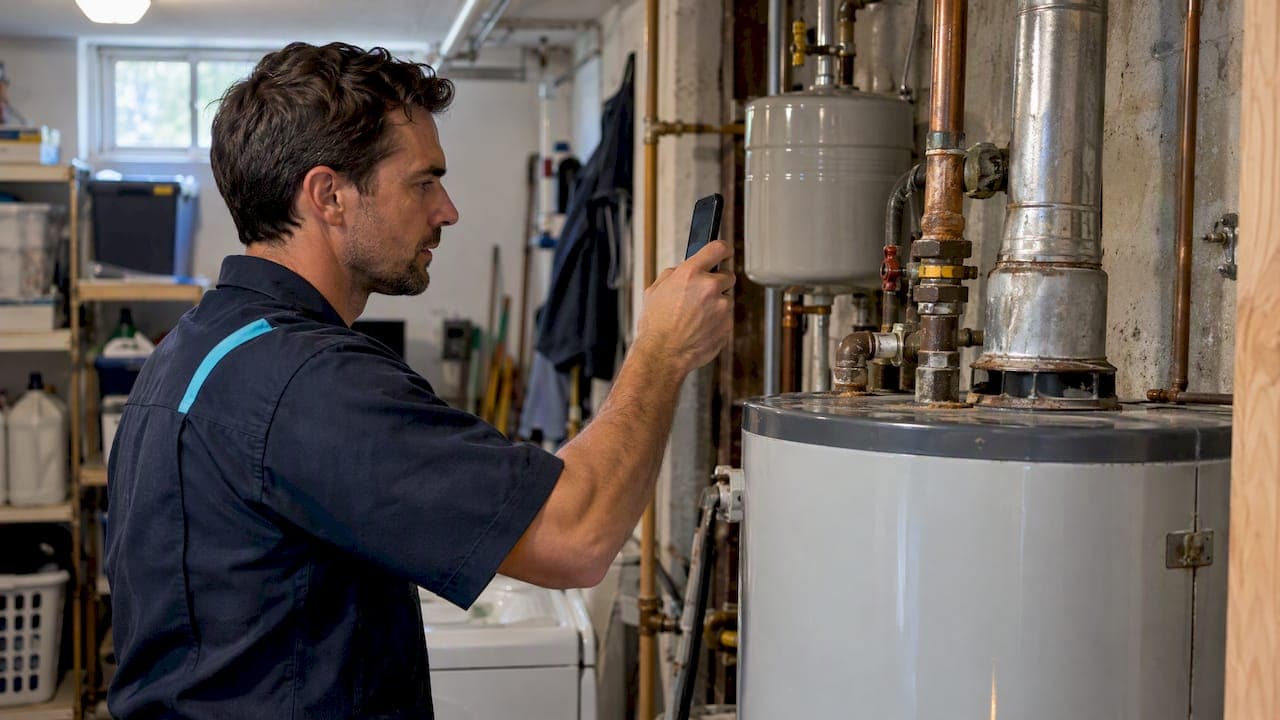
Yes, put photos in most of your quotes. Attach a few labeled job photos, such as a wide shot, a close detail shot, and an after shot when it relates to the work. Photos can help customers see what you priced and clarify the scope.
TL;DR:
- Put a wide shot near the top and a detail beside its line item; add progress or after photos only when they clarify the work.
- Date and label each image, number any photos cited in line items, and share an album link instead of attaching a large set.
- Ask permission before photographing, keep people and personal items out of frame, and avoid capturing mail or documents in the work area.
- Use compressed JPG photos, reserving PNG for diagrams or screenshots with text; retake images if key details disappear on a phone screen.
- Send the quote the same day with three labeled photos, then place the payment link or deposit request directly below the total.
Table of Contents
- Why do photos help customers say yes faster?
- Which photos should you attach to a quote?
- How do you take useful job photos in ten minutes?
- How do you place and label photos inside your quote?
- What file size and format keep quotes easy to open?
- My quick win: send three photos the same day
- How we help you send photo quotes and close jobs faster
- FAQ
- Sources
Why do photos help customers say yes faster?
A quote with photos answers questions before the customer asks them. When the customer can see the corroded shutoff valve or the crowded panel next to the line item, the price makes sense. Contractor proposals commonly list photos alongside scope, pricing, terms and a deposit, so you are not doing anything unusual by adding them.

Photos also protect you. Say you quote a water heater swap and the customer later says the old flue was never that rusty. A dated photo can help clarify what was there. It may also help you and the customer review the same details without another site visit.
Think about the problems that cost solo pros money: a missed charge for a hidden fitting, a second trip to double-check a measurement, a "that's not what I expected" call after the job — and consider how AI-powered SEO and automated follow-up systems can help contractors in Rhode Island and Massachusetts manage these challenges more effectively. A few clear images head off all three.

Which photos should you attach to a quote?
Keep it simple. You do not need a full gallery. Choose a few images that earn their place:
- Before (one or two wide shots): Show the whole area and the problem in context, like the full bathroom wall with the stain, or the whole yard bed you are regrading.
- Detail (one close-up): Show the exact part, damage or measurement, such as a cracked supply line, a scorched outlet, or a clogged condensate drain.
- Progress (only when it matters): Add one mid-job shot of a critical stage, like exposed wiring or a hidden leak behind drywall.
- After (only when it fits): Include it when it relates directly to the quoted work, or as a portfolio example for a new client who wants to see your finish quality.
Tradespeople commonly shoot before, in-progress and after photos to tell a visual story that helps close jobs. If you have a larger set of photos, link a cloud album instead of stuffing the quote. For a deeper shot list, see our post on photo estimates.
How do you take useful job photos in ten minutes?
You can do this on every call without slowing down. The goal is consistent shots you can use, not pretty ones.
- Start with a wide shot that shows the whole area, then a medium shot, then a close-up of the problem.
- Shoot from two angles when it matters, like both sides of a leaking joint or the front and back of a fence section.
- Use natural light when you can. If you are in a dark crawlspace or attic, use a flashlight from the side so shadows show texture.
- Brace your elbows or the phone against something solid. Walk closer instead of using digital zoom, which blurs detail.
- Put a tape measure or a familiar object in at least one shot so the customer can judge size.
- Make sure the date is recorded, either in the photo data or in the caption you write later.
- Ask first. One sentence does it: "Mind if I take a few photos of the work area for your quote?"
Documentation standards for construction projects call for high-resolution images with clear identification, including project name, date taken and photographer. You do not need that level of paperwork for a faucet repair, but the habit of labeling every image is a good one to copy.
Pro Tip: Create a photo folder named for the job on your phone the moment you arrive, and move every shot into it before you drive off.
How do you place and label photos inside your quote?
Put each photo where it does the most work. A wide shot near the top shows the work area right away. Detail shots go beside the line item they support, with the caption or filename referenced in the line description, like "Replace corroded shutoff valve (see photo 2)."
- Use short, meaningful filenames. A simple pattern is JOB_YYYYMMDD_area_short, for example JOB_20260115_kitchen_sink_detail.
- Add a short caption under each image with the date and what it shows: "Date: Corroded shutoff valve under the sink, source of the slow drip."
- Use thumbnails that open full-size when your quoting tool allows it, so the page stays clean on a phone.
- Number your photos if you reference them in several line items, so the customer can flip back easily.
- Switch to an album link when you have a larger set of images. Call it out in the quote ("Full photo set: link below") rather than attaching many large files.
If you want a layout that already has room for this, our contractor quote template is easy to adapt. Before you send, run through our common estimate mistakes checklist to make sure your photos match your line items.
What file size and format keep quotes easy to open?
Customers open quotes on their phones, often on a weak signal. Big files get stuck, so keep them light but readable.
- Use JPG for photos. Save PNG for diagrams or screenshots that contain text.
- Check the image at phone size. If you can still see the cracked fitting or the wire color on a small screen, it is good enough. If not, retake it closer.
- Compress before sending. Most phones let you choose a smaller size when you share or export, and free compression apps do the same job.
- Skip the pro photographer. Professional shoots can run $500 to $2,000, but good phone photos may be enough for quotes and sales.
- Pick attachments or an album. Attach a few images directly. Use an album link when you have more.
My quick win: send three photos the same day
I would not overthink this part. After your site visit, send the quote promptly with clear photos, such as a wide shot and a close-up, each with a labeled caption. Put the pay link or deposit request right under the total. Customers decide while the visit is still fresh, and the photos answer the "what exactly am I paying for?" question without a phone call.
Try it on upcoming quotes and compare how quickly you hear back. If you want to keep momentum after you send, use our quote follow-up templates so a quiet quote does not go cold.
— jaras
How we help you send photo quotes and close jobs faster
We built Quotewren for solo operators who want to quote, get paid and collect reviews without a heavy system. Here is what that looks like for the workflow in this article:
- Branded quotes
- Integrated pay links so approval and payment happen in the same place
- An automated review request by text after you mark the job complete

Here is a typical run: you shoot your before and detail photos, prepare the quote, then mark the job done and let the review requests go out on their own. Our Free plan costs 0 USD, and paid plans are 19 USD per month for Quotewren and 39 USD per month for Quotewren Crew. Start with Quotewren and send your next quote today. When the work wraps up, our guide on quote to invoice shows how to get paid faster.
FAQ
How many photos should I put in a quote?
The right number depends on the job. Choose images that show the work area and support the key line items. For bigger jobs, link a photo album instead of attaching everything.
Do I need the customer's permission to take job photos?
Ask before you shoot. A simple "Mind if I take a few photos of the work area for your quote?" is enough and builds trust. Skip photos of people, mail, documents or anything personal in the background.
Should I include after photos in a quote?
Only when they help. An after photo makes sense when it shows the same type of work you are quoting, or as a portfolio example for a new client. Otherwise, save the after shots for your records and your marketing.
What is the best photo format for quotes?
Use JPG for photos because it keeps file sizes small and opens on any phone. Use PNG only for diagrams or screenshots with text. Compress the images so the quote loads fast on mobile.
Sources
- Autobrel
- Construction Photo Documentation Standards
- Marketing: More Ways to Use Photographs in Your Marketing | Pro Remodeler