
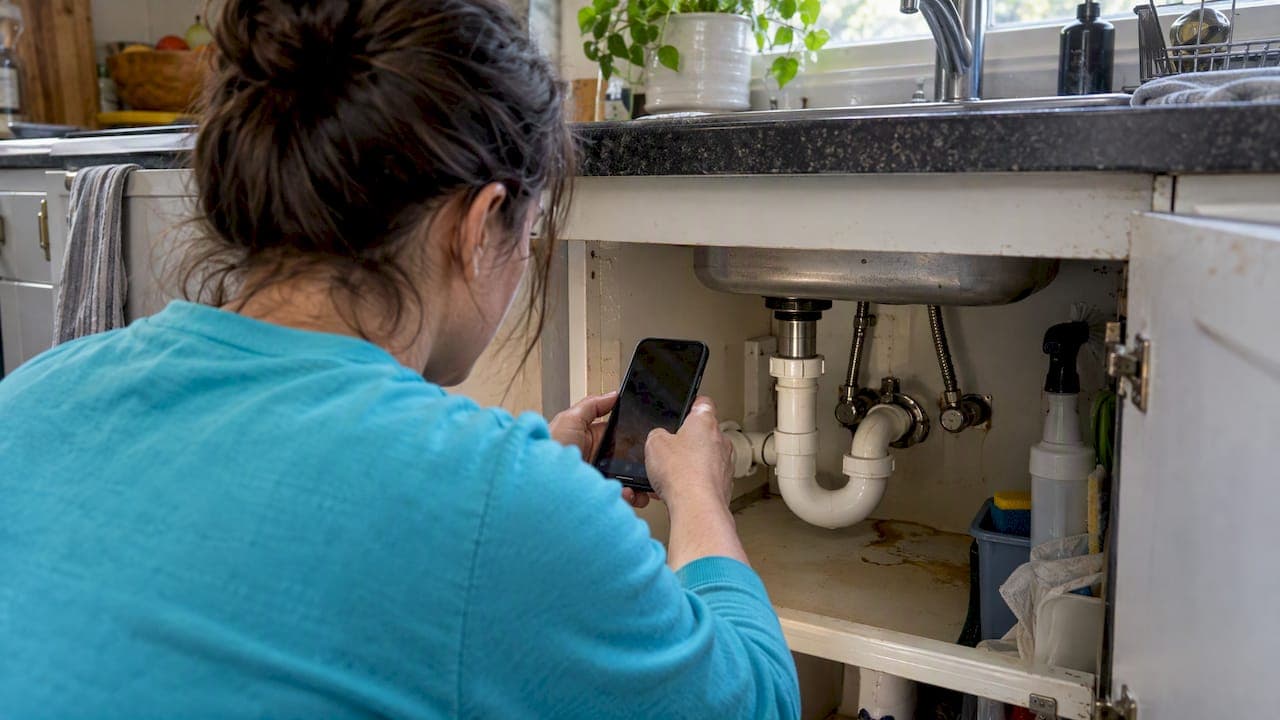
Yes, for standard, visible repairs you can create reliable photo estimates if you collect the right shots and attach a clear scope basis. Skip the photo route for anything concealed, structural, or safety-sensitive. Those jobs need eyes on-site before you put a number on paper. The one rule that protects you either way: every photo estimate needs a written scope basis stating what you saw, what you assumed, and what could change the price.
TL;DR:
- Request three photos showing the full area, the defect close up, and a scale reference; ask for five to ten shots for jobs involving moving parts.
- Keep photo estimates to visible, routine work; require a site visit for structural work, safety risks, suspected hidden damage, or problems customers cannot fully photograph.
- Attach a dated scope basis listing observed conditions, assumptions, exclusions, and photo limitations; state that hidden damage or changed conditions require a separate quote.
- For uncertain work, offer a price range from photos and confirm the firm price after inspection; use line item rates and state change order triggers.
- For larger jobs, request a 30% deposit to reduce cancellations, then ask for a review after customers see the finished work; never offer an incentive.
Table of Contents
- When to use photo estimates and when to require a site visit
- Photo checklist you can copy: exact shots to request and a customer message script
- How to convert photos into a priced estimate (step-by-step workflow)
- Scope-basis and terms: the short document that protects you
- Send the quote, collect payment, and ask for Google reviews
- Author perspective: three quick rules for photo estimates
- How Quotewren turns your photo estimates into paid jobs and reviews
- FAQ
- Sources
When to use photo estimates and when to require a site visit
Photo estimates work best for jobs where what you see is what you get. A cracked tile, a patch of peeling paint, or an overgrown hedge rarely hides surprises, so photo-based triage lets you price the job and qualify the lead without burning a trip.
Good candidates for photo pricing:
- Painting touch-ups and small drywall patches
- Single tile or grout repairs
- Routine cleaning jobs (move-out cleans, gutter clearing)
- Straightforward landscaping tasks like mulching or trimming
- Fixture swaps where the model and wiring are visible
Jobs that need a site visit instead:
- Anything involving structural framing or foundation
- Suspected rot, mold, or water damage behind walls
- Complex electrical work (panel upgrades, rewiring)
- Jobs where the customer can't show you the full problem area
A simple triage habit works well here: give a ballpark from the photos, then tell the customer plainly that the firm number depends on what you find once you're there.
Photo checklist you can copy: exact shots to request and a customer message script
The photos you get are only as good as the request you send. Vague texts like "send me pics" get you one blurry close-up and nothing else. Ask for specific shots, and you'll usually get a usable set on the first try.
What to request, in order:
- A wide shot showing the whole area or room for context
- A close-up of the actual problem (the leak, the crack, the broken part)
- A scale reference next to the problem, a tape measure, a coin, or a standard outlet works fine
- Model or label photos for any fixture, appliance, or part that needs matching
- Access shots showing anything that could block your work, like furniture, landscaping, or tight crawl spaces
Three photos is the floor for a simple job. For anything with moving parts, like a water heater swap or an electrical panel, ask for five to ten shots covering different angles.
A plumber quoting a faucet replacement needs a wide shot of the sink, a close-up under the cabinet, and the brand label on the old faucet. An electrician pricing an outlet swap needs the panel label and a close-up of the wiring behind the cover plate.
Here's a short message you can copy and send:
"To get you an accurate estimate, could you send me 3 to 5 photos: one wide shot of the area, a close-up of the problem, and a photo with a tape measure or coin next to it for scale? Natural light works best if you can get it."
Pro Tip: Ask customers to text photos instead of emailing them. Texts arrive faster and you can reply with quick follow-up questions in the same thread.

How to convert photos into a priced estimate (step-by-step workflow)
Once the photos land, work through them the same way every time so you don't miss anything.
Step 1: Triage the photos. Check visibility (can you see the full problem?), access (anything blocking the work?), safety (any sign of electrical or gas hazards?), and hidden-risk indicators (water stains, sagging, unusual smells mentioned by the customer).
Step 2: Draft the scope with assumptions. Write down exactly what you're pricing and what you're assuming is true. "Assumes existing wiring is up to code" or "assumes no subfloor damage beneath the tile" are good examples.
Step 3: Price it with simple line items. Use unit pricing where you can: $45 per linear foot of baseboard, $150 flat for a toilet swap, $85 per hour plus materials for general handyman work. Keep it short and easy to read.
Step 4: Offer a two-tier quote when the job has any uncertainty. Give a ballpark range from the photos, then note that the firm price gets locked in after you see the job in person. Spell out what would trigger a change order, like finding rotted subfloor under that cracked tile.
Treating photos as a first pass, not a final verdict, keeps you fast without getting burned. AI-assisted drafting tools can speed up this kind of triage, but the final number still needs a human estimator's judgment, especially on anything with hidden-risk signs.

Scope-basis and terms: the short document that protects you
A scope basis is a short, plain-language record you attach to every photo estimate. It doesn't need to be fancy, it just needs to exist.
Include these elements every time:
- The date you reviewed the photos
- A note that the estimate is based on submitted photos, not an in-person visit
- What you observed (the visible condition of the problem)
- Your key assumptions (code compliance, no hidden damage, standard materials)
- What's excluded (permits, disposal fees, work beyond the photographed area)
- A line stating a site visit is required if conditions differ from what's shown
For terms, keep the language simple: "This estimate is valid for 14 days" or "A 30% deposit is due before scheduling, balance due on completion." If a change order comes up, a line like "any hidden damage found on-site will be quoted separately before work continues" sets the expectation early.
Attaching the photos themselves to the estimate along with your notes is one of the simplest ways to avoid a dispute later, since you've got a dated record of what you saw and agreed to.
Pro Tip: Save every photo estimate, the scope basis, and your texts with the customer in one folder named by job and date. It takes thirty seconds and saves hours if a dispute ever comes up.
Send the quote, collect payment, and ask for Google reviews
Once the customer accepts your price, the next few steps determine whether you get paid fast and build your online reputation at the same time.
- Send a clean, branded quote or invoice with a pay link built in, so there's no back-and-forth over how to pay
- Ask for a deposit on jobs over a couple hundred dollars, a flat percentage like 30% cuts down on no-shows and last-minute cancellations
- Once the job wraps, send a review request using a well-timed and compliant outreach workflow with a link or QR code, never offer a discount or gift in exchange for a review, since that breaks Google's rules
- Time the review request for right after the customer sees the finished work, when satisfaction is highest
A short message like "Thanks for choosing us. If you have a minute, we'd appreciate a quick review here [link]" works better than a long pitch. Our guide to review link and QR code setup walks through generating one for your own business.
Author perspective: three quick rules for photo estimates
We stick to three rules on every photo job. One, keep the photo request short and specific, vague asks waste everyone's time. Two, never skip the scope basis, even on a fifty-dollar patch job. Three, if there's any chance of hidden damage, quote it in two tiers instead of guessing low and eating the difference later.
Before sending any estimate, we run through one quick check: do the photos show the whole problem, is there a scale reference, and does the scope basis name every assumption. If any answer is no, we go back and ask before we quote.
How Quotewren turns your photo estimates into paid jobs and reviews
We built Quotewren for solo tradespeople who don't have time to juggle separate apps for quoting, invoicing, and chasing reviews. You can turn a set of customer photos into a branded quote with your scope and assumptions attached, send it with a built-in pay link, and once the job's marked done, Quotewren automatically sends a review request by text, so you're not stuck remembering to follow up.

- Create a quote from job details and photos in a few minutes
- Convert an accepted quote straight into an invoice with a pay link
- Trigger an automatic review request once the job closes
| Outcome | What changes for you |
|---|---|
| Time spent quoting | Less back-and-forth, faster turnaround on small jobs |
| No-shows and nonpayment | Fewer, thanks to deposits and clear pay links |
| Google reviews collected | More, since requests go out automatically after every job |
Plans start with a Free tier; current paid plan prices are listed on the Quotewren website. Visit the Quotewren app to start a trial and see the workflow for yourself.
FAQ
What exactly is a photo estimate?
A photo estimate is a price you give a customer based on photos they send you, instead of an in-person visit. It works best for visible, standard repairs where hidden damage is unlikely.
How many photos do I need for an accurate estimate?
Three photos is usually the minimum: a wide shot, a close-up of the problem, and one with a scale reference like a tape measure. More complex jobs benefit from five to ten photos covering different angles.
Is a photo estimate legally binding like a signed quote?
A photo estimate should be treated as a ballpark figure tied to stated assumptions, not a final binding price. Attaching a scope basis and noting that pricing may change after an in-person visit protects both you and the customer.
How soon after a job should I ask for a Google review?
Right after the customer sees the finished work, while satisfaction is fresh, tends to work best. Use a review link or QR code rather than offering any incentive, since incentivized reviews violate Google's policies.
Can Quotewren help me manage photo estimates?
Quotewren lets you build a quote from job photos and details, convert it to an invoice once accepted, and automatically request a review after the job is marked complete. It's built for solo operators, not large crews, so the plans stay simple and flat-priced.
Sources
- search
- What is AI in construction estimating? — McCormick Systems (blog)
- Create a Google link or QR code to request reviews - Google Business Profile Help